Scratch Built RC Trainer Plane
by SpencerS58 in Workshop > 3D Printing
757 Views, 9 Favorites, 0 Comments
Scratch Built RC Trainer Plane


This Project will walk you through the process I went through to make an RC trainer plane. The design is my own and loosely inspired by a Piper Cub. My goal for this project was to create a build plan that is clear and easy to understand. The project will use 3d printed parts for the small things and standard scratch building techniques for the rest. This is my first Instructable as well as my first plane build, so if you have any feedback, please let me know.
Supplies

This is a comprehensive list of everything used for this project. The expenses may seem high, but you likely already have some items, such as magnets, rubber bands, and Xacto blades, which will reduce the overall cost. Also, once you have the necessary electronics, building future planes will be much cheaper, as electronics represent the largest expense. For the 3D printing costs, I used the cost to print at my local university, which is 16 cents per gram. Links for everything purchased will be listed below.
https://www.amazon.com/dp/B0B1MLXNY7?th=1
https://www.amazon.com/dp/B07PHDYZXN?ref=ppx_yo2ov_dt_b_fed_asin_title
https://www.amazon.com/dp/B077BYC1GM?ref=ppx_yo2ov_dt_b_fed_asin_title
https://www.amazon.com/dp/B0BZJ1YN9K?
https://www.amazon.com/Adjustable-Pushrod-Connector-Airplane-Aircraft/dp/B086C4Q5RS
https://www.amazon.com/gp/product/B081ZY23V4/ref=ewc_pr_img_1?smid=A3S807LE0L63AP&th=1
https://www.amazon.com/dp/B0D2QPNWGT?
http://dollartree.com/3m-carton-sealing-tape/911603
https://www.dollartree.com/assorted-rubber-bands-35oz-packs/977504
https://www.dollartree.com/silver-metal-paper-clips-in-assorted-sizes-250ct-packs/178451
https://www.dollartree.com/black-foam-boards-20x30-in/25957
https://www.hobbylobby.com/crafts-hobbies/wood-crafts-blank-surfaces/craft-wood/round-wood-dowel---3-16/p/20810
https://www.amazon.com/Zeee-Graphene-Quadcopter-Helicopter-Airplane/dp/B07Y67CHJT
https://www.amazon.com/ISDT-Battery-Balance-Charger-Battery%EF%BC%8CLife/dp/B08F7C1T2T
https://www.harborfreight.com/Precision-Knife-Set-13-Piece-62784.html?
https://www.harborfreight.com/10-piece-rare-earth-magnets-67488.html?
The Fuselage


In this step, you start putting together the fuselage. Start by drawing the layout on the foam with a pencil as you measure all dimensions, then draw with a pen for the permanent lines. Then, use an X-Acto blade to cut out the pieces. Once the pieces are cut, lightly sand the edges to smooth any roughness from cutting. To get the pieces to bend and align together, slotted cuts are made by cutting only part of the way through the board. You can then strengthen the slotted cuts by filling with hot glue, then dragging a piece of scrap foam along the seam to clean it.
Add the Motor Mount


Next, print out the motor mount on a 3d Printer. Once you have the piece, align it with a 2-3 degree angle to the right side of the plane(from the cockpit perspective). Then, ensure the Motor mount is facing 1-2 degrees down towards the bottom of the aircraft. Use the TLAR rule(that looks about right). After the motor mount is aligned, mount it in place with hot glue. The offset angles will help compensate for the P-Factor and gyroscopic effects of the rotating assembly. A good test for the strength is to pick up the fuselage with the motor mount piece, and if it stays in place, then it's strong enough.
Downloads
Add Rear Stablizer


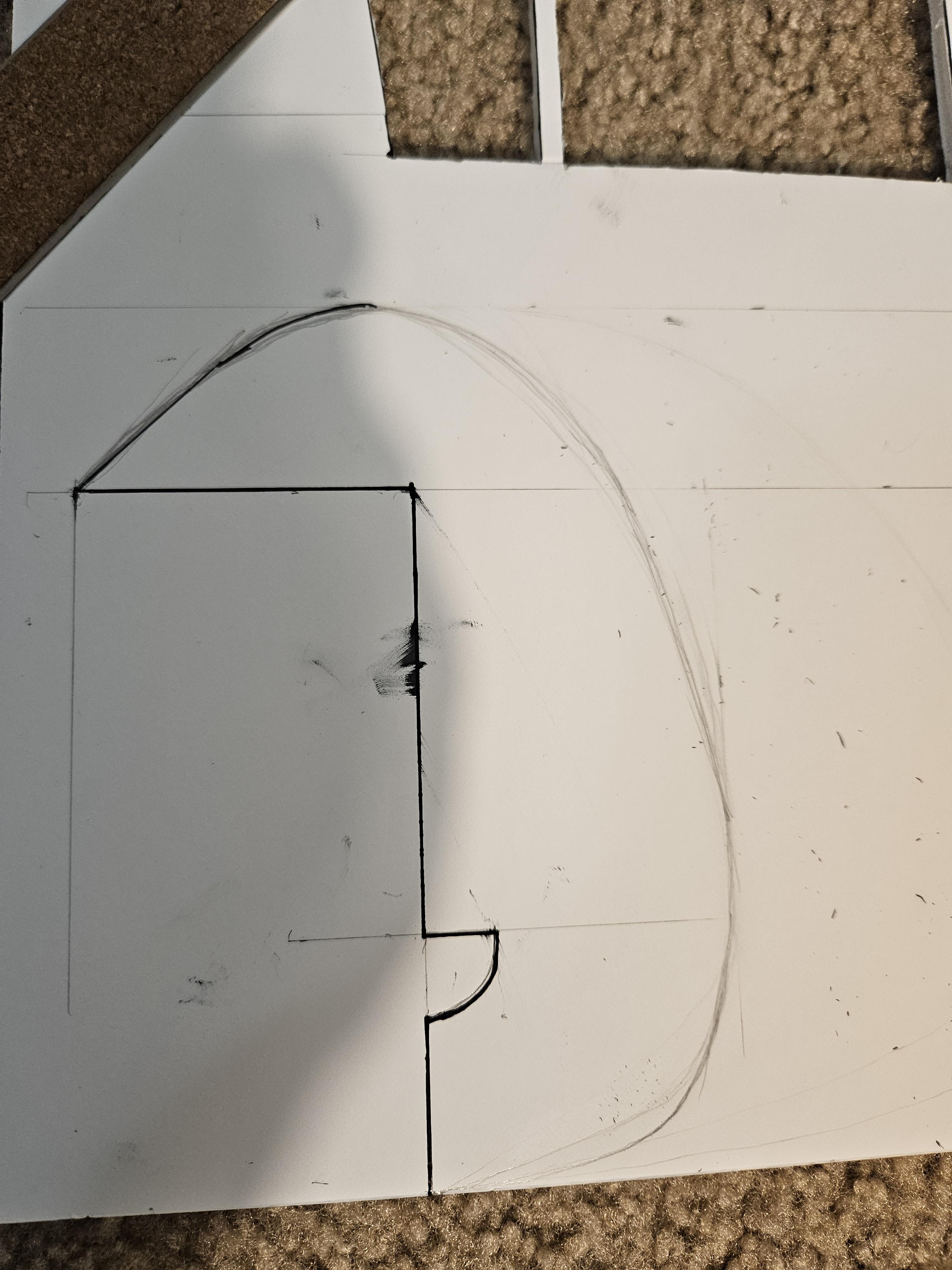


This step is all about the elevator and rudder control surfaces and where the back end of the plane starts to come together. First, draw out the horizontal and vertical stabilizers on the board. The core dimensions are labeled, but the curved features you will need to sketch out based on what looks right. Don't forget that you need 2 of the rudder profiles and will glue them together. Install the horizontal stabilizer first, then add the rudder. If you are adding landing gear, add the rear wheel in between the 2 rudder pieces while gluing them together.
Add Servos


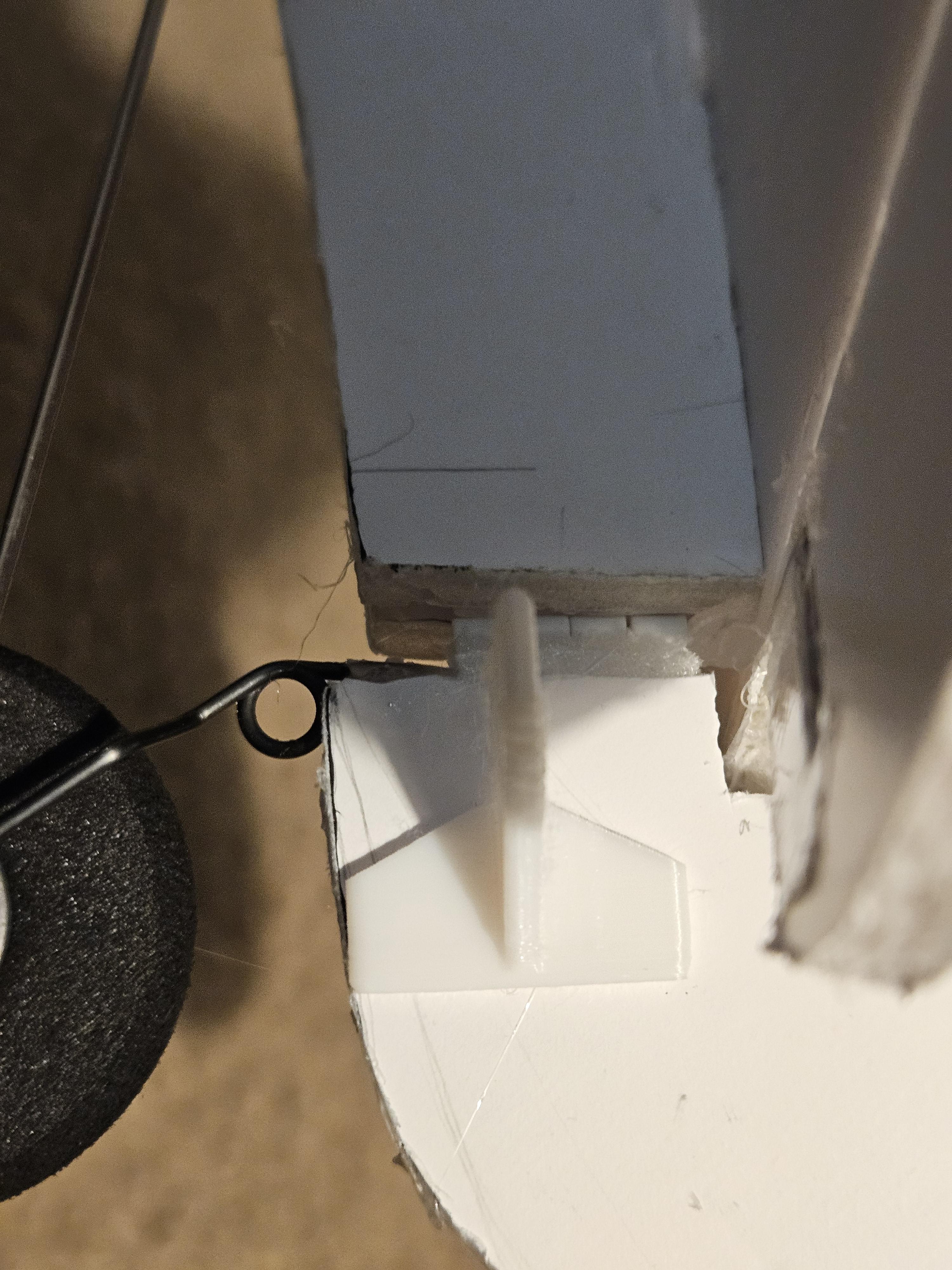


For this step, I needed two servos, a coffee straw, linkages, control horns, and hot glue. I used some linkages from another project. If you don't have any, you can purchase the linkages listed in the BOM. I also used 3D printed the control horns using a design from another hobbyist: (3D model by LB, used with attribution. Files available on Printables.) https://www.printables.com/model/100925. I started by making a cutout in the foam and inserting the control horn in the desired area with hot glue. Then, I eyeballed the servo placement based on the linkage length and traced the servo outline. Place the rudder servo towards the front and route the linkage through a coffee straw, as shown in the pictures. For the elevator servo, cut out the corresponding slot. It is important to ensure your servos are centered. This can be done with a servo tester or by plugging them into a receiver; as long as the trims are centered, that's okay. Since I didn't have a receiver or servo tester handy, I created a servo centering device using an Arduino. After marking the placement, rough up and clean the servo surfaces so the glue can adhere well, then glue them into place. Connect the linkages, test the range of motion, and check for any binding.
Add Front Wheels


For this step, I started by cutting a slot into the bottom of the fuselage. I then put some hot glue in the slot and inserted the landing gear into the slot. To support the landing gear, I then cut a piece of scrap foam and glued it to the inside of the fuselage.
Insert Skewers


I designed these skewer supports to help prevent the skewers from pulling out of the foam. By gluing the supports to the outer wall of the fuselage, the load on the contact points should be reduced. First, print the supports. Next, poke holes in the areas shown in the photos. Install the supports and glue them to the fuselage. Then, insert the skewers and cut them to the desired length. I found that about half an inch of the skewer sticking out is sufficient.
Downloads
Create Airfoil
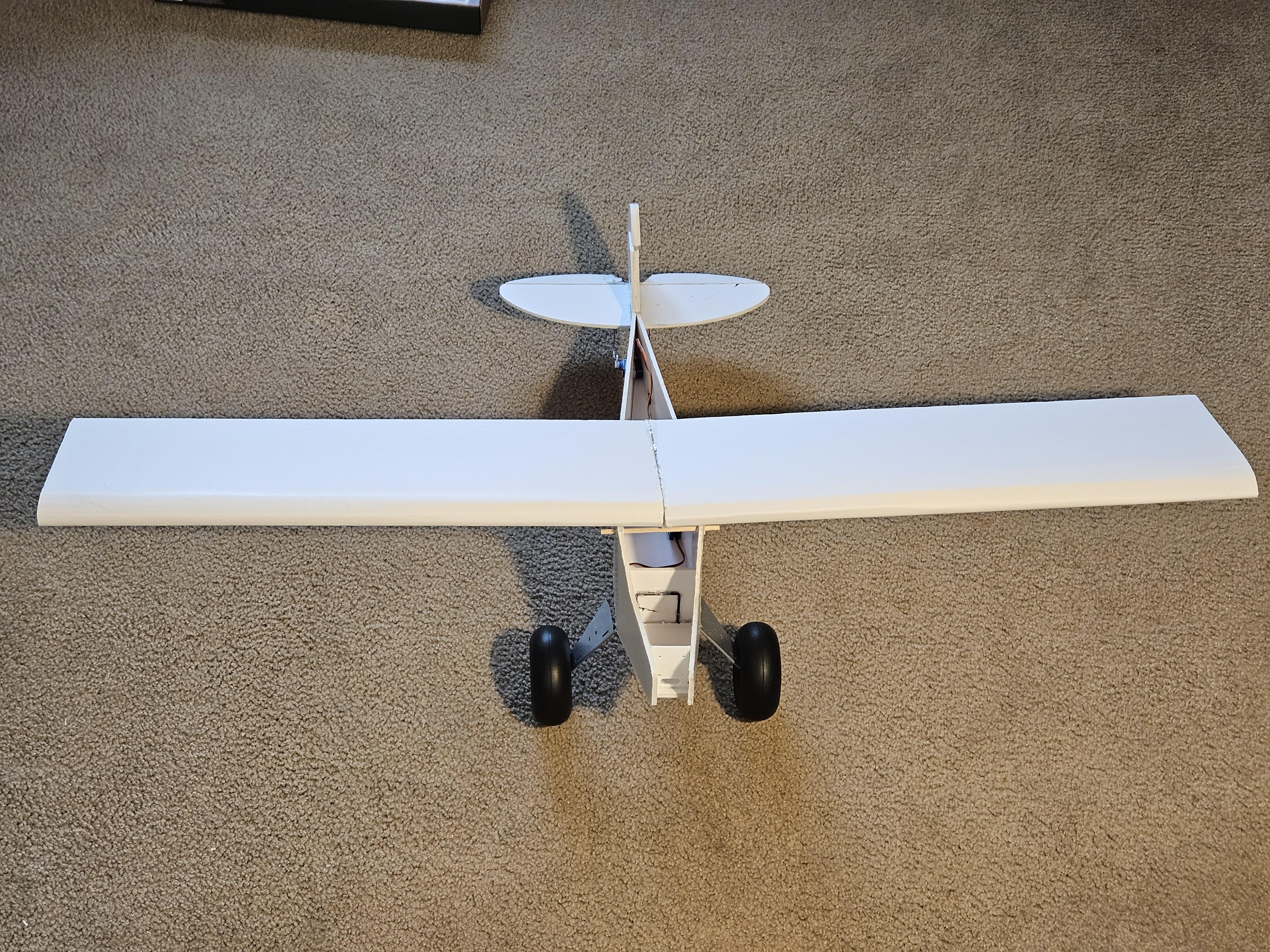


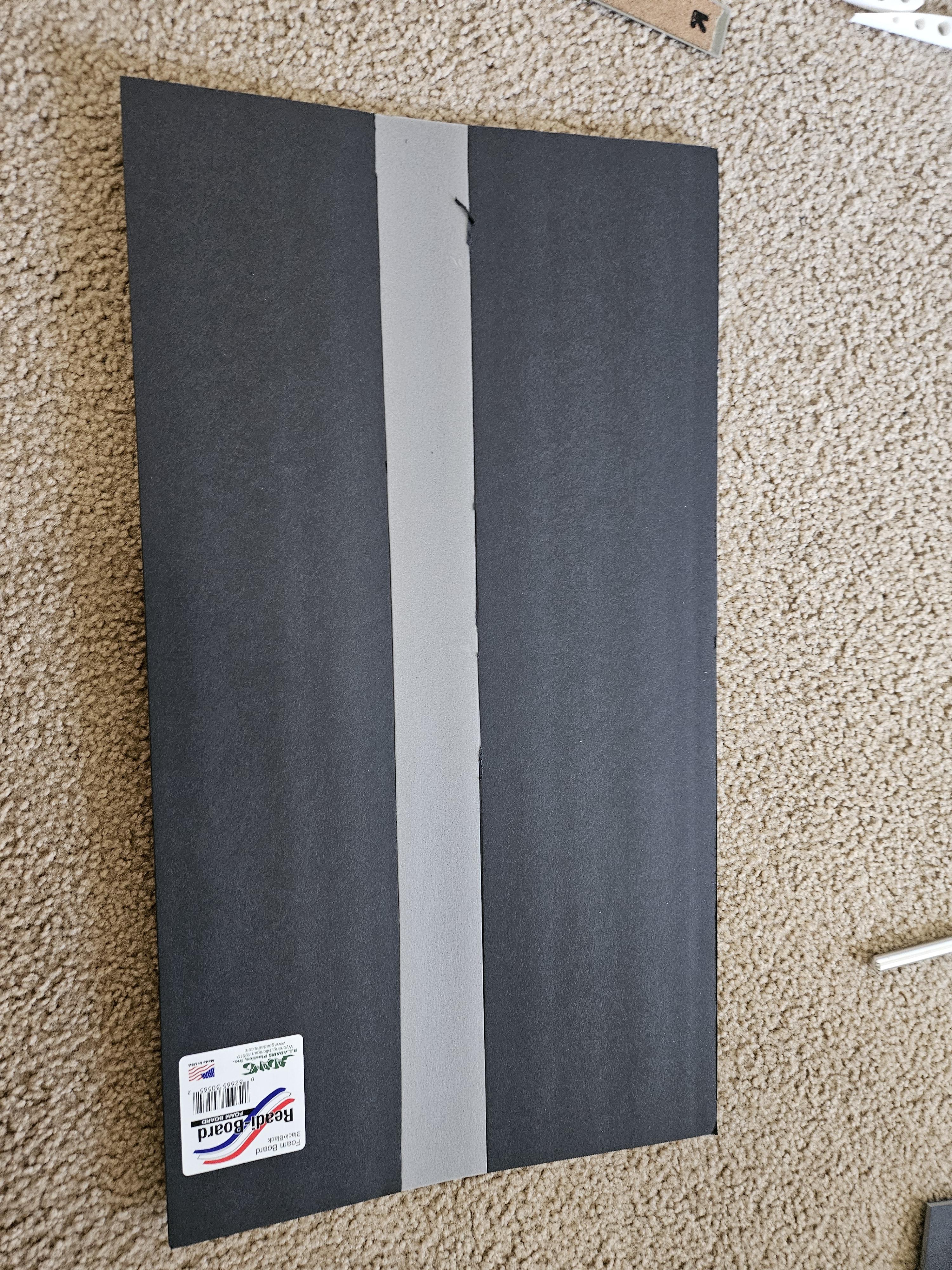


The first thing to do for this step is to 3d print out all the ribs. I used 1 center rib and 6 total ribs. The total mass for this print was about 30 grams with 5% infill. I also printed out 2 control horns for the alerions. The center rib compensates for 4 degrees of dihedral on the wing to help with roll stability. I also made an optional Dihedral Gauge to keep the wings aligned when connecting. The next task is to cut the 3/8 balsa wood dowel in half. Each piece should be at least 455mm in length(18 inches). The airfoil will come together with 2 foam pieces. I drew out what the dimensions will look like. I found that peeling the inner layer of paper and creasing the inner side of the foam is the best strategy to get the foam board to bend over. Working the foam back and forth helps it take on the shape nicely. Also, because this wing has dihedral, you will need to cut a small strip off where the inner top surfaces of the 2 sides will meet so you don't get overlapping inner edges. If you cut out too much, no problem, cut out a piece of scrap foam and fill the gap. Once the foam board is ready, glue the ribs and spar together as shown in the images. Then glue the now-created airframe to the foam. You now need to route the servos through the wing and cut out wiring access holes. Now, place glue on the ribs and fold over the foam board. I found doing one side on the edge of a table and using a weight helps. Ask for help if needed; this is the trickiest part. Now trace out the ailerons and servo profiles. Cut the servo profiles and glue the servo; you may need to place a piece of scrap foam in the cutout to raise the servo flush with the airfoil surface. Also, cut out the alerion, and make a 45-degree cut on the inner edge of the alerion, and use tape to secure it back onto the wing. Link the servo to the Alerion with the control horn and a linkage. Lastly, fix the airfoil to the fuselage with 16 rubber bands looped together in pairs of 2 (8 loops total). There should be 4 diagonal loops and 4 loops along the length of the wing.
Finish the Fuselage


Now that the servos, Skewers, and landing gear are installed, the fuselage is ready to be finished. Measure and cut out the remaining pieces. Glue and sand for finishing touches.
Cut Battery Accessibility Compartment

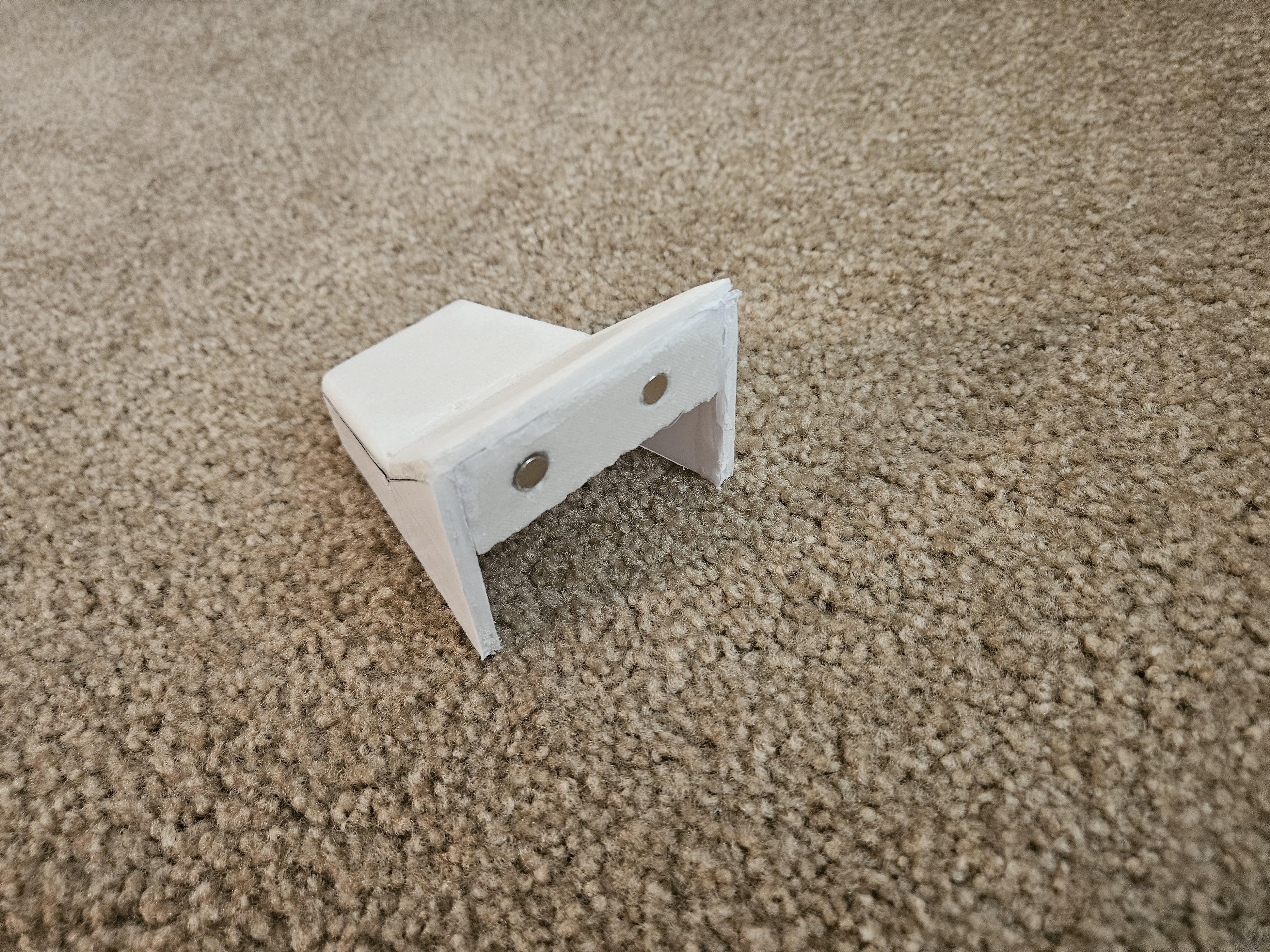

For this step, I cut out the top of the fuselage for the battery compartment. I glued scrap foam to both inner sides and glued magnets to the surfaces. Make sure the magnets are aligned and the magnetic poles are in the correct direction.
Add Motor, Esc,reciver and Battery Strap


For this step, it is important that you do not mess with the electronics while the propeller is on; only install the propeller once everything is set up. Install the motor with 4 m3 x 8mm cap screws. For the remaining electronics, I used hook-and-loop tape, which allows easy removal of the electronics. Fix the esc to the side of the battery compartment and plug in the motor. The motor should move counterclockwise; if it spins clockwise, simply swap any 2 motor wires on the ESC. Next, create 2 slots on the bottom of the fuselage to loop the battery strap through. I also use the hook and loop tape, so the battery has two methods of fixturing. Attach the receiver with the same method. Route the throttle cable from the ESC through the fuselage to the receiver and plug it into channel 3. Plug the rudder servo into channel 4 and the elevator into channel 2. Lastly plug the Alerion y harness into channel 1.
Bind Reciver and Check Center of Gravity
Now that the electronics are installed, you can install a battery, 3s or 4s, 1300-2200 mah is what I recommend. With the battery installed, you can check the center of gravity(CG) by picking up the plane on the wing with 2 fingers and observing which way it tilts. If it doesn't tilt, you have found where the CG is. The CG should be roughly 1/3 back from the leading edge of the wing or on the thickest part of the wing. Now you can set up the transmitter. If you are using the FlySky i6-x, the transmitter will already be bound to the receiver. If you are using something different, refer to the user's manual to bind. For a final shakedown, trim all the control surfaces flush, and I strongly recommend setting up a throttle cut feature.
FLY!
.jpg)