Raspberry Pi Clock/Alarm/Stopwatch
by Luca Stringer in Circuits > Raspberry Pi
143 Views, 0 Favorites, 0 Comments
Raspberry Pi Clock/Alarm/Stopwatch
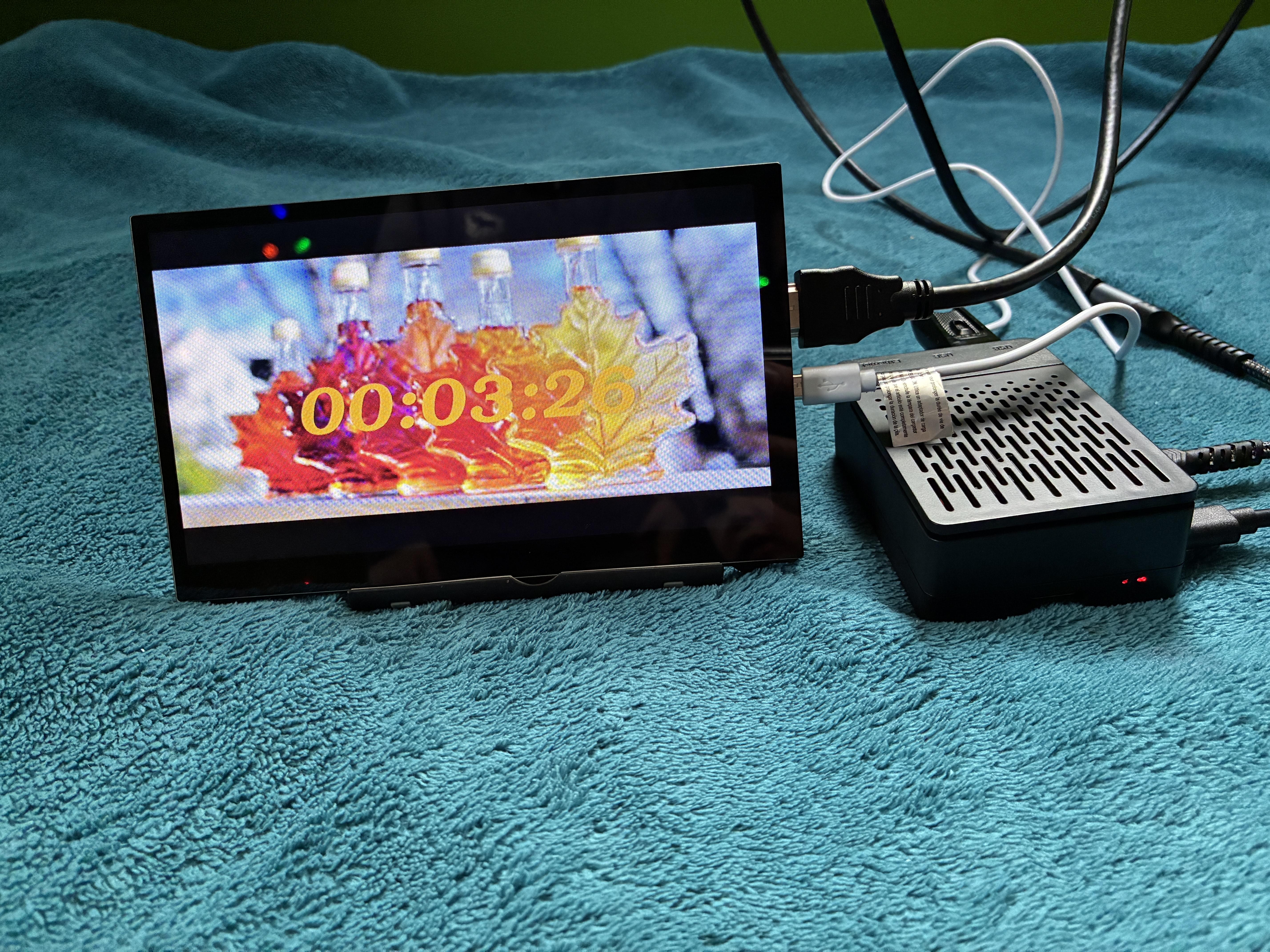
I made this project because I had an extra raspberry Pi laying around that I don't use anymore. This is a great project for you if you don't know how to program.
Supplies

You'll need a Raspberry pi. I used the Raspberry Pi 4. You'll also need a small monitor or LCD display. You'll need a video editing software. (I used Shotcut) You can't use Canva, though you can use Adobe Premire Pro. You'll need an HDMI Cable, a micro HDMI cable converter, A power cable for the monitor and the Raspberry Pi, a Thumb Drive or google drive, A case for the whole thing to fit in, (good thing I made one for you), and a cool picture you want to make the background for the clock. Here are the dimensions of the Raspberry Pi, Monitor, and case.
Set Up Your Raspberry Pi
You'll need to set up a raspberry pi to actually make this possible. Start by imaging the Raspberry Pi and making it an Ubuntu Machine or your desired OS. and make sure you have an MP4 media player on it
Make Your Time Video


I first thought that I could make around 1,00 pictures and then write a python script to make a loop. (e.g., If it is 3:15 PM then go to picture 1515 in the directory) I didn't go with that idea because when I downloaded all of the pictures I made form Canva there were like 10 different folder that had 30 folder within them and then those folders had 20 pictures within them. all of the folders had the pictures labeled 1-20. It would of taken me weeks to sort all of then out and label them correctly. I just went for making a video in Shotcut. I made a 4 hour timer and I reversed it so It went up instead of down. i made a 4 Hour video. Here is the link for the 4 hour video. If you want to trim the video to be your desired length just go into Shotcut or a powerful video editing software and trim it.
Download Your Video

I am making the video on a separate computer so I will have to put the MP4 file on a thumb drive or google drive and transfer it to my raspberry pi. Here is my Video I made. It is an MP4 Video.
Fit Everything in Your Case

You'll need to make all of the wires fit in the case i provided you with. You will have to 3d print it out but everything is to scale so I hope it turns out well. I did make the power cord holes in the case for the Raspberry Pi's power cord and the monitor's.
Finish
Yay! You're Finished! Now you'll have a wicked cool clock to hang on the wall.