Lighted Christmas Tree, 2025
by gzumwalt in Workshop > 3D Printing
369 Views, 1 Favorites, 0 Comments
Lighted Christmas Tree, 2025

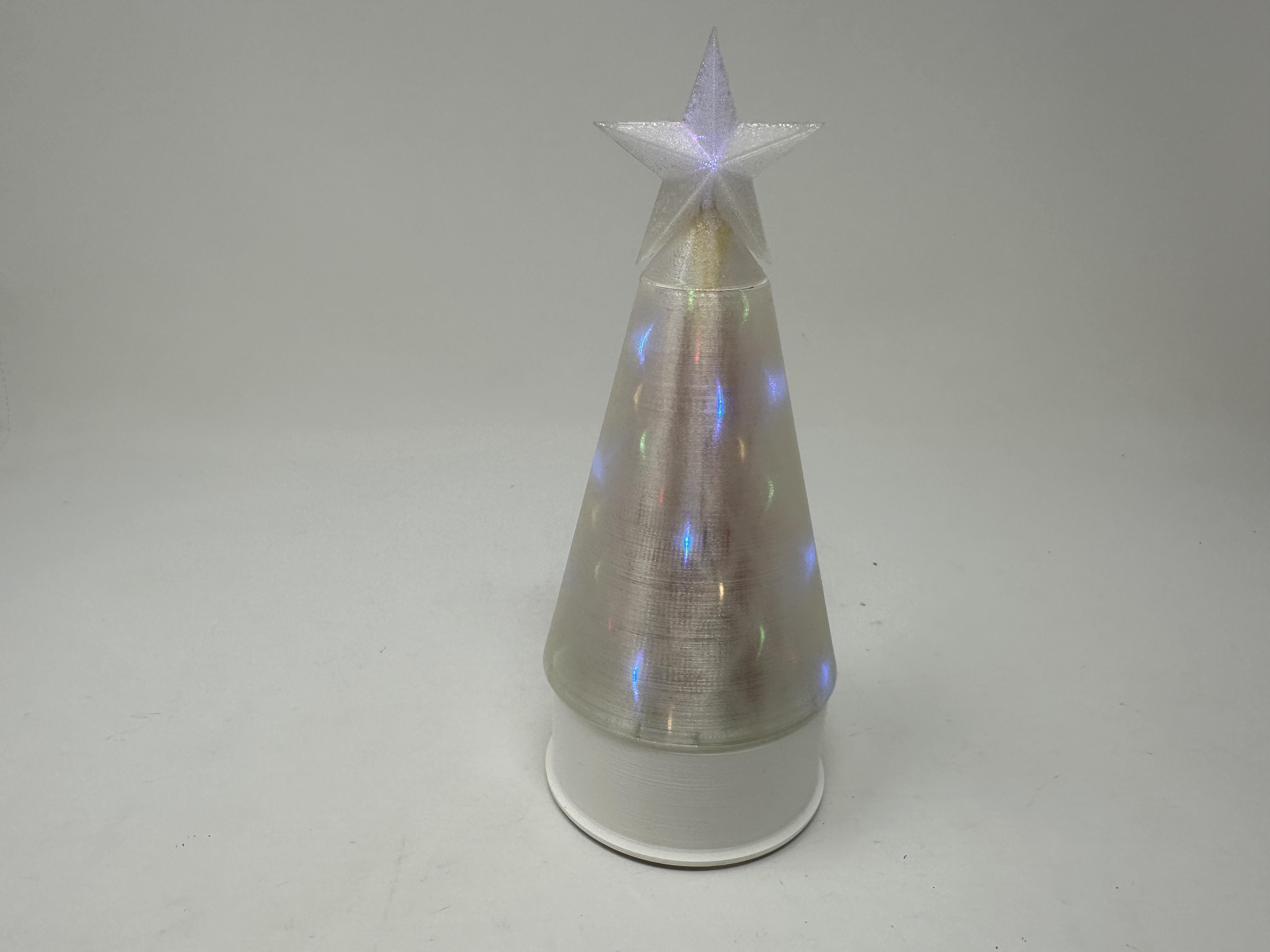


Of the many, many things regarding electronics my father taught me, one of the more unusual was using a phono plug and jack as a "slip ring". While slip rings are indeed commercially available, I thought it would be fun to use his phono plug and jack suggestion as the slip ring for "Lighted Christmas Tree, 2025".
As usual I probably forgot a file or two or who knows what else, so if you have any questions, please do not hesitate to ask as I do make plenty of mistakes.
Designed using Autodesk Fusion 360, sliced using Ultimaker Cura 4.12.1, and 3D printed in PLA on Ultimaker S5s.
Supplies
Soldering iron and solder.
Heat shrink tubing.
Thick cyanoacrylate glue.
Cyanoacrylate glue spray accelerator.
Parts
I acquired the following parts:
- One N20 30RPM 6VDC gear motor.
- One two AA cell battery holder with switch and wires.
- Eight 6mm diameter 2mm thick neodymium magnets.
- One color changing RGB LED with current limiting resistor.
- One 3.5mm three pole jack (https://www.amazon.com/gp/aw/d/B09B65CTWM?psc=1&ref=ppx_pop_mob_b_asin_title).
- One 3.5mm three pole plug(https://www.amazon.com/gp/aw/d/B0FPLXKX1X?psc=1&ref=ppx_pop_mob_b_asin_title).
- One 5 meter 50 string fairy light string with current limiting resistor.
- Two mini JST plug and jack sets with wire.
I 3D printed the following parts:
- One "Base Cover.stl" (optional "Base Plate.stl" if you'd like to show the internals).
- One "Base.stl".
- Four "Bolt (M8 by 1.25 by 8mm).stl".
- One "Face Gear.stl".
- One "Motor Gear (2m 8t).stl".
- One "Phono Jack Mount.stl".
- Two "Star.stl".
- One "Tree Cover.stl".
- One "Tree.stl".
This mechanism is a high precision print and assembly using at times very small precision 3D printed parts in confined spaces with highly precise alignment. Prior to assembly, I test fitted and trimmed, filed, drilled, sanded, etc. all parts as necessary for smooth movement of moving surfaces, and tight fit for non moving surfaces. Depending on your slicer, printer, printer settings and the colors you chose, more or less trimming, filing, drilling and/or sanding may be required to successfully recreate this model. I carefully filed all edges that contacted the build plate to make absolutely certain that all build plate "ooze" is removed and that all edges are smooth using small jewelers files and plenty of patience.
This mechanism also uses threaded assembly, so I used a tap and die set (M8 by 1.25) as required for thread cleaning.
Assemble the Base.


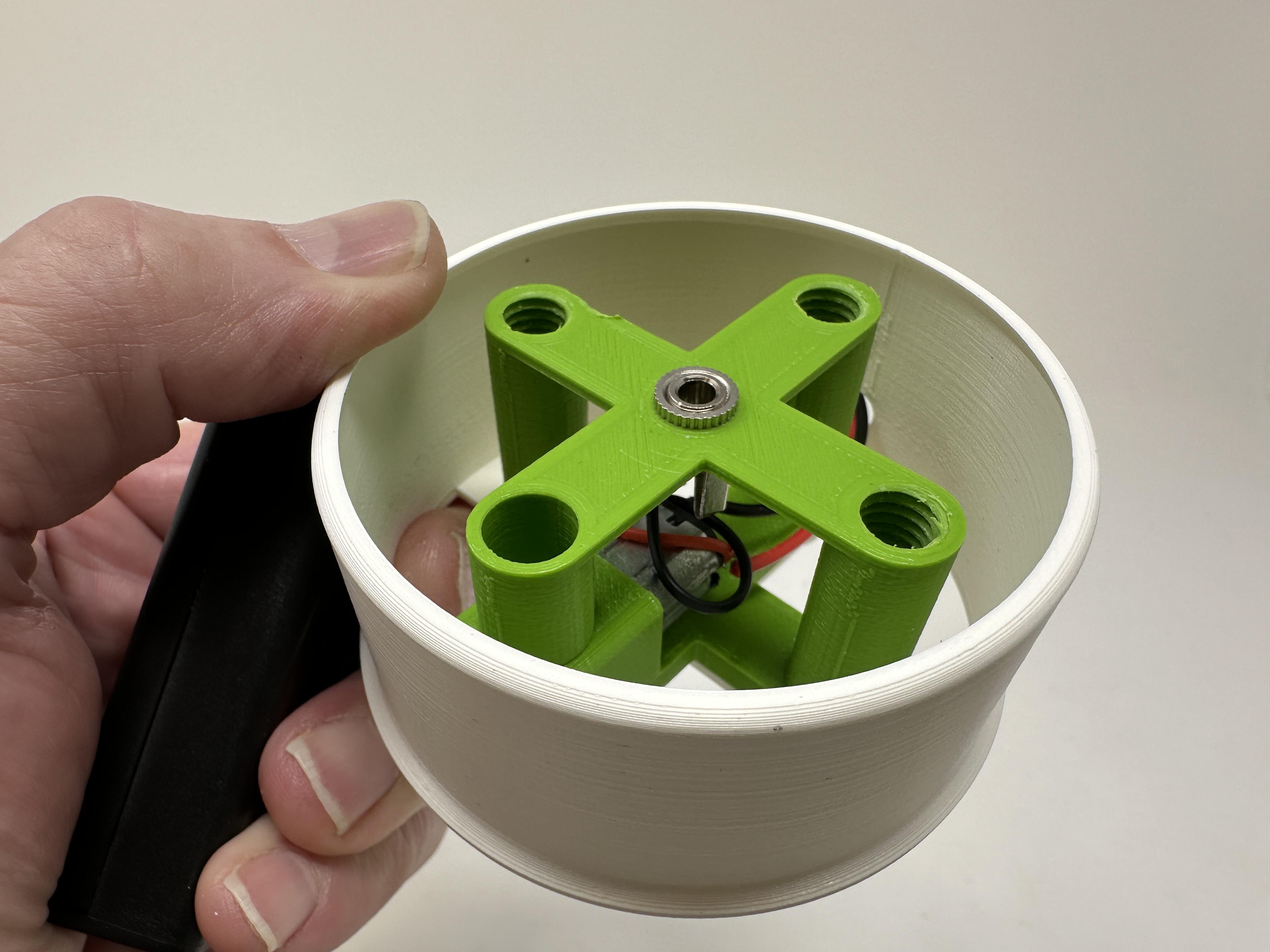
To assemble the base, I performed the following steps:
- Since I was using "Base Cover.stl", I slid the battery pack wires through the side hole in "Base Cover.stl".
- Soldered the battery back wires to the gear motor such that the gear motor shaft rotated counter clockwise when viewed from the motor shaft end of the gear motor.
- Soldered a 30mm length of black wire between the 3.5mm three pole jack shield pin to the motor black wire.
- Soldered a 30mm length of red wire between the 3.5mm three pole jack ring pin to the motor red wire.
- Pressed the gear motor into "Base.stl".
- Attached the 3.5mm three pole jack to "Phono Jack Mount.stl" using the included nut.
- Pressed "Motor Gear (2m 8t).stl" onto the motor shaft.
- Secured the phono jack assembly to the base assembly and the cover (or optionally "Base Plate.stl") using four "Bolt (M8 by 1.25 by 8mm).stl".
Assemble the Face Gear.

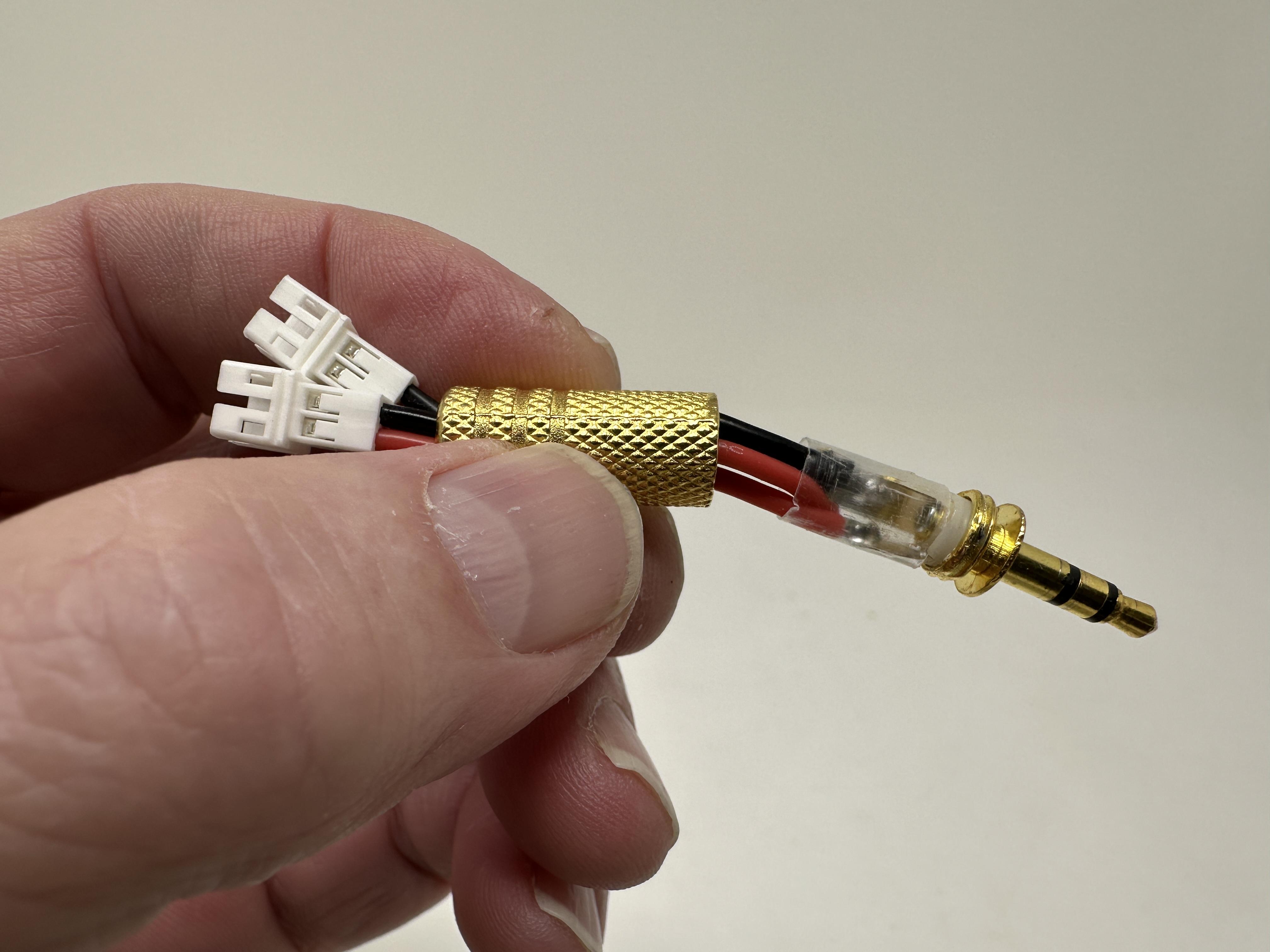


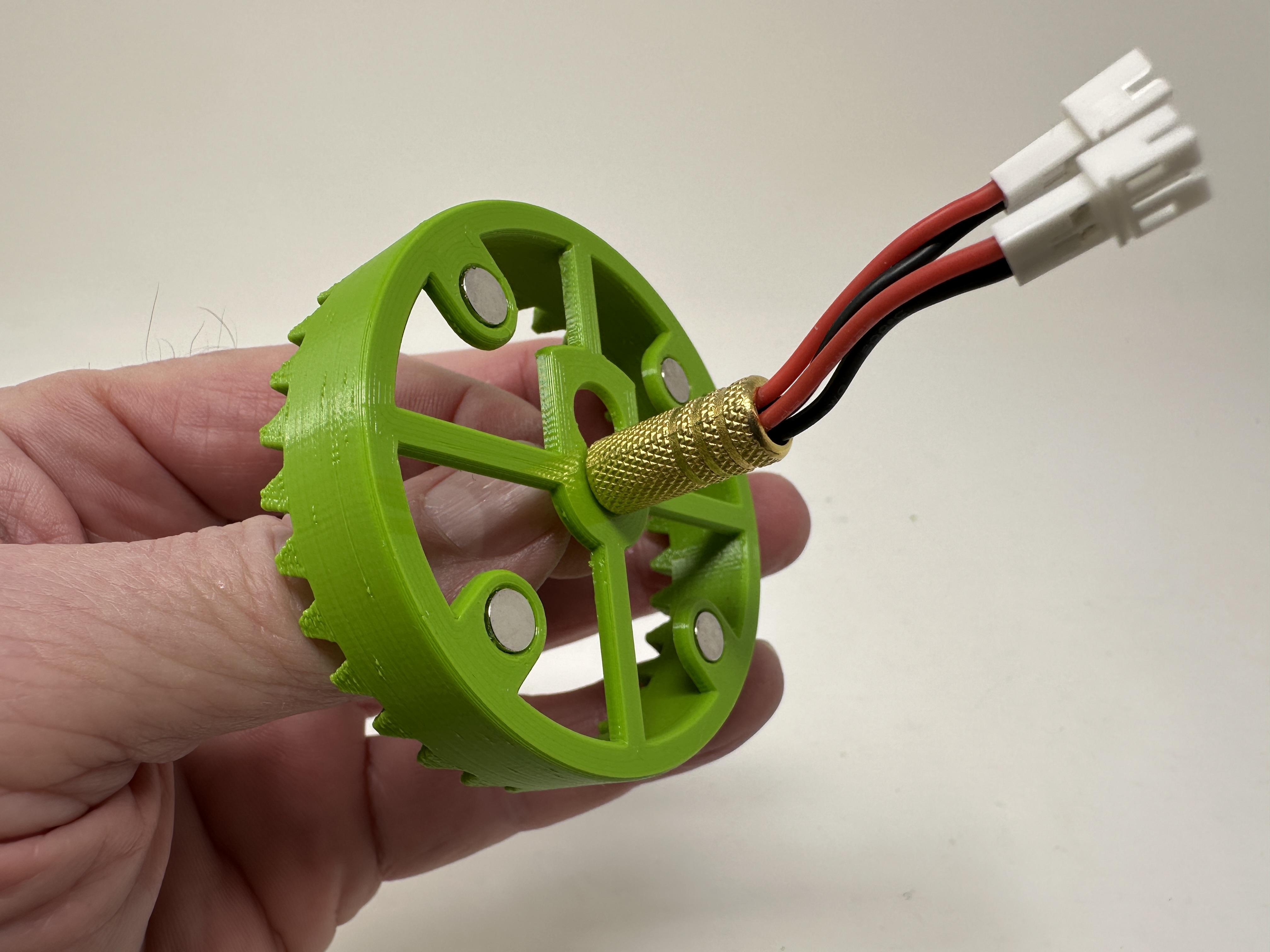


To assemble the face gear, I performed the following steps:
- Pressed four neodymium magnets into "Face Gear.stl".
- Trimmed the wires on two JST jacks to 40mm in length.
- Slid the wires through the back side of the 3.5mm three pole plug cover then through the 3.5mm three pole plug plastic insulator.
- Stripped and soldered the two black wires to the 3.5mm three pole plug shield pin.
- Stripped and soldered the two red wires to the 3.5mm three pole plug ring pin.
- Slid the insulator over the soldered connections.
- Slid the 3.5mm three pole plug tip into the larger offset hole in the face gear, then slid the plug to the center hole.
- Threaded the 3.5mm three pole plug cover onto the plug threads tightly to secure the plug in the center of the face gear.
Assemble the Tree.


To assemble the tree, I performed the following steps:
- I designed "Tree.stl" as a conical shape having 100 intersecting points, 10 intersecting points around by 10 intersecting points tall. The fairy led light string I used had 50 LEDs. Using glue and accelerator spray, I started by attaching one LED to every other intersecting point around the bottom ring of intersecting points. Next, I moved up to the next ring of intersecting points, then repeated the process until I had 10 rings of LEDs with 5 LEDs per ring. After attaching each LED to an intersecting point, I pressed the excess wire through the openings adjacent to the LED and into the center of the tree then folding the loops up against the inner wall of the tree.
- Pressed four neodymium magnets into the tree assembly matching the polarity of the magnets in the face gear assembly.
- Slid heat shrink tubing over the JST plug red and black wires.
- Soldered a current limiting resistor to the negative lead of the light string.
- Soldered the red wire of the JST plug to the positive lead of the light string.
- Soldered the black wire of the JST plug to the free end of the current limiting resistor.
- Slid the heat shrink tubing over the solder joints.
Assemble the Star.
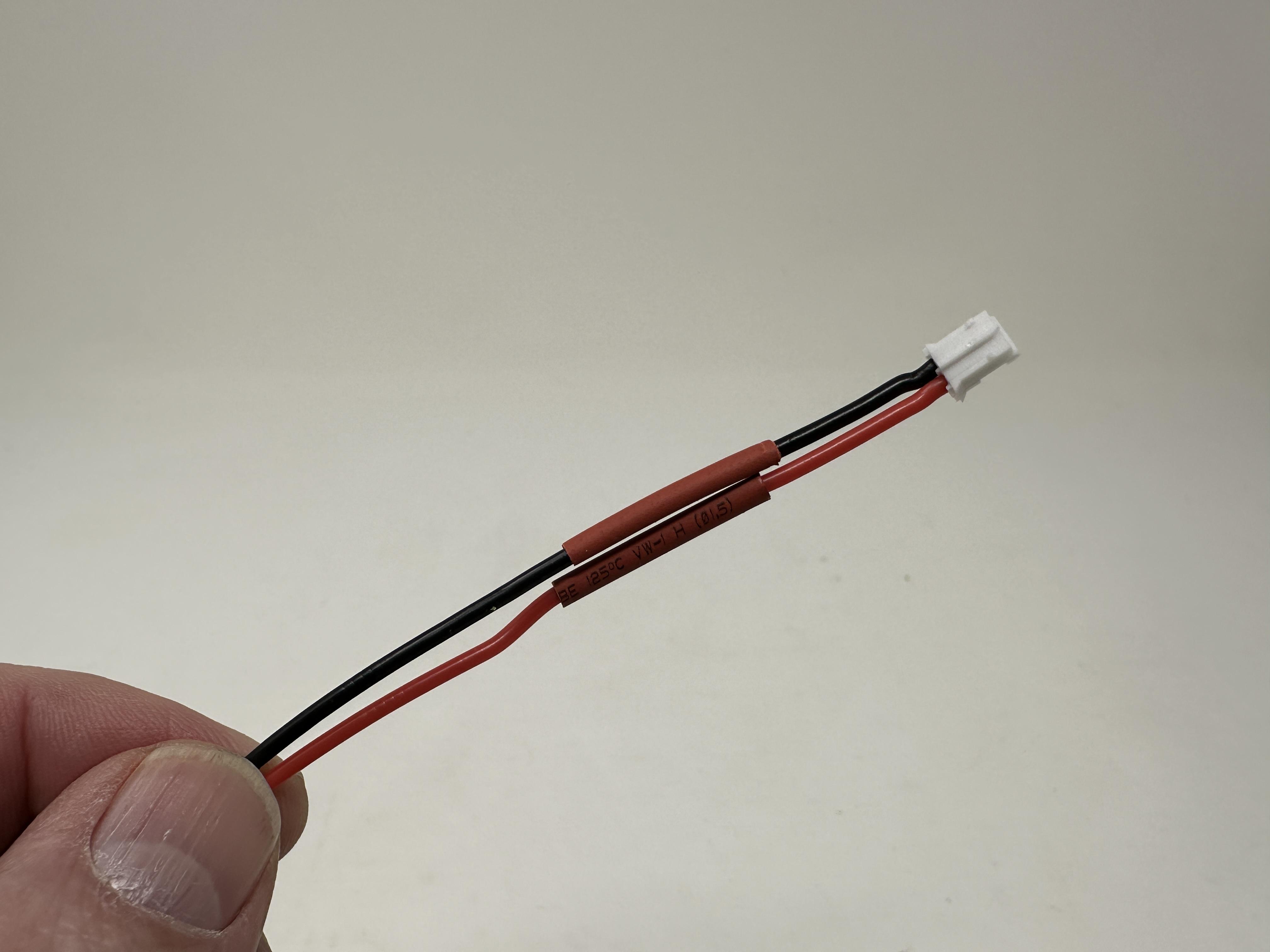
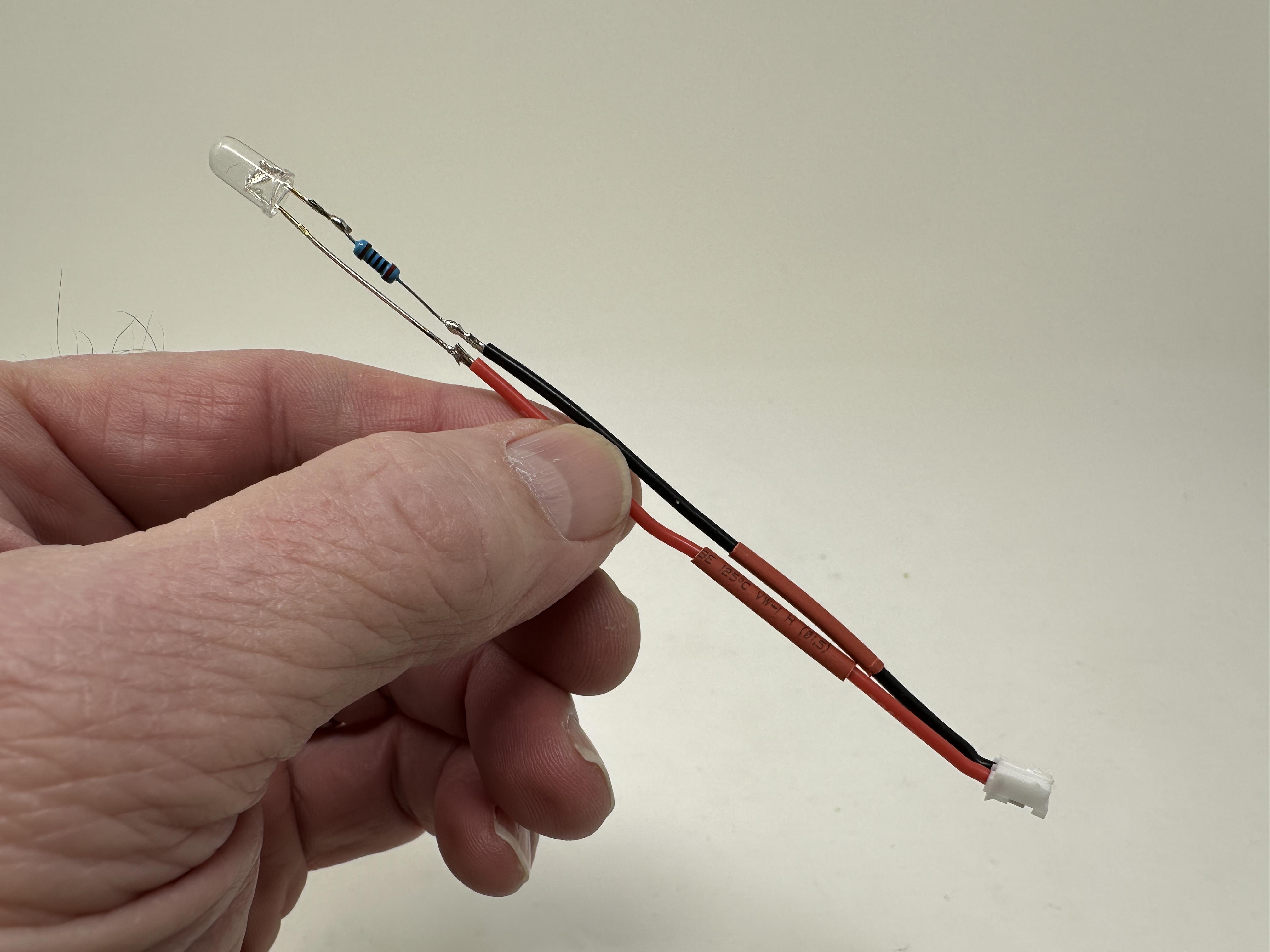
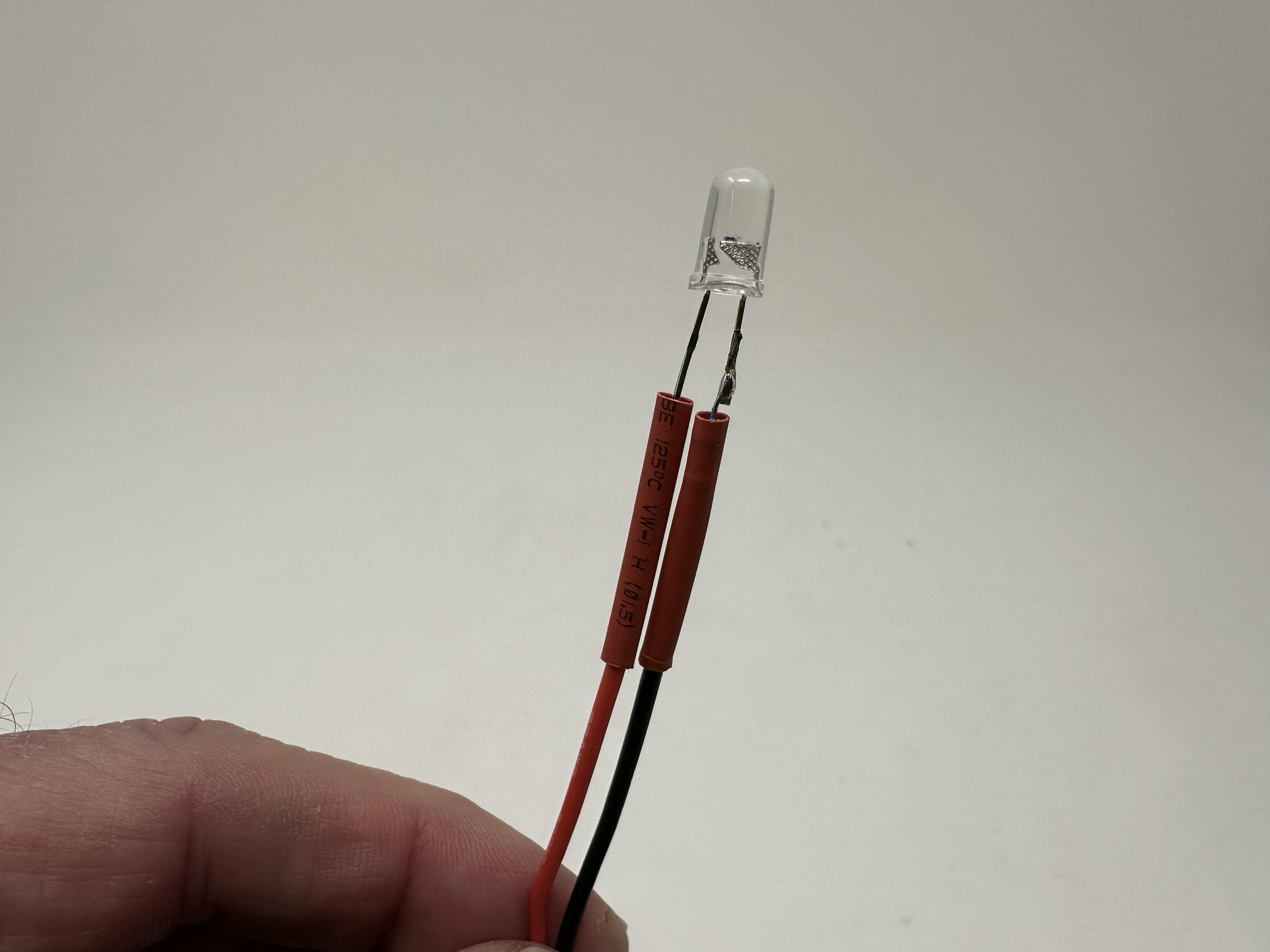
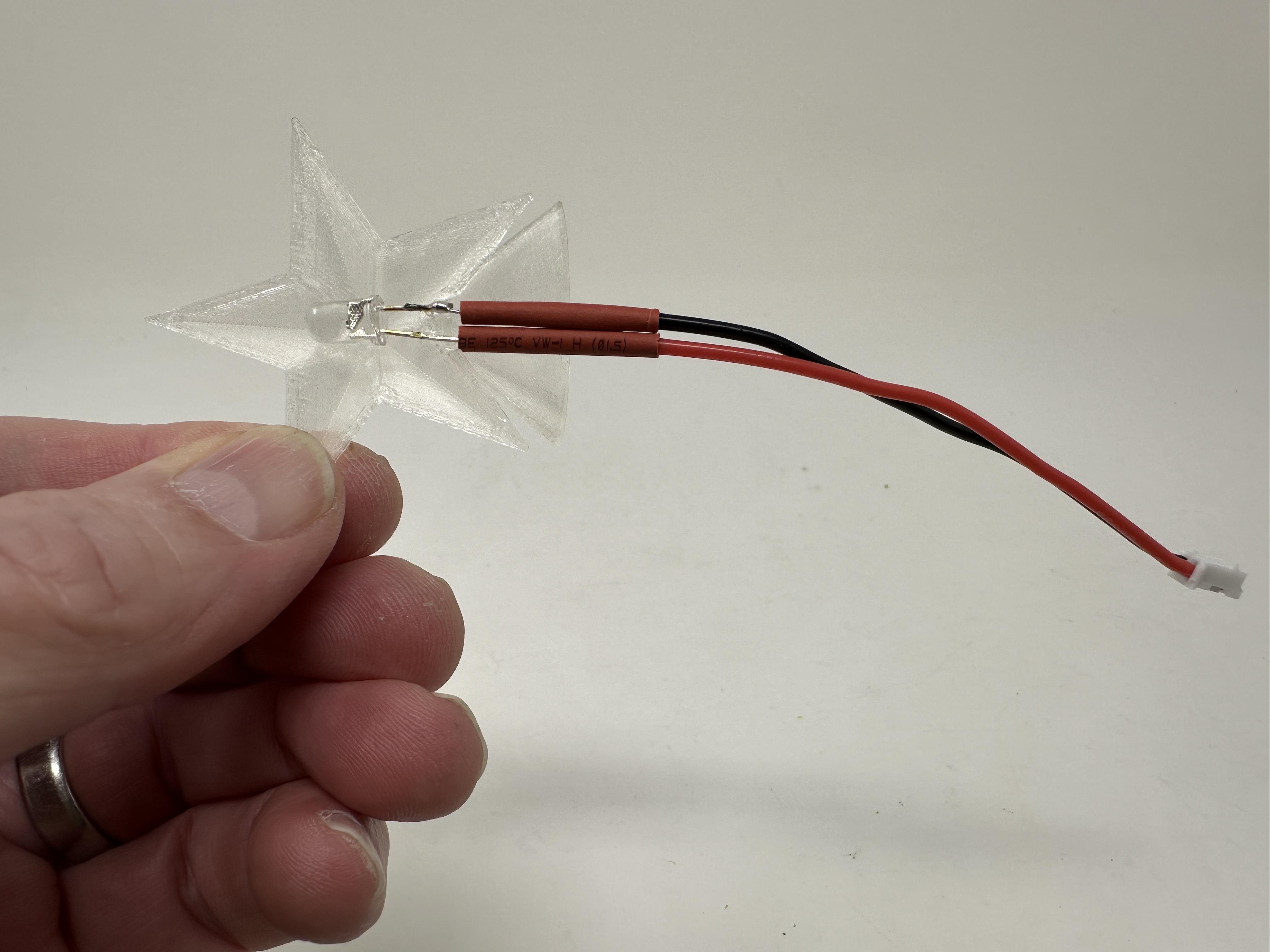

To assemble the star, I performed the following steps:
- Slid heat shrink tubing over both the black and red wires on the JST connector.
- Soldered the RGB LED current limiting resistor to the RGB LED cathode.
- Soldered the black wire on the JST connector to the free end of the current limiting resistor.
- Soldered the red wire on the JST connector to the LED anode.
- Slid the heat shrink tubing over the joints.
- Glued the LED into one "Star.stl".
- Glued the remaining "Star.stl" to the star assembly.
Final Assembly.


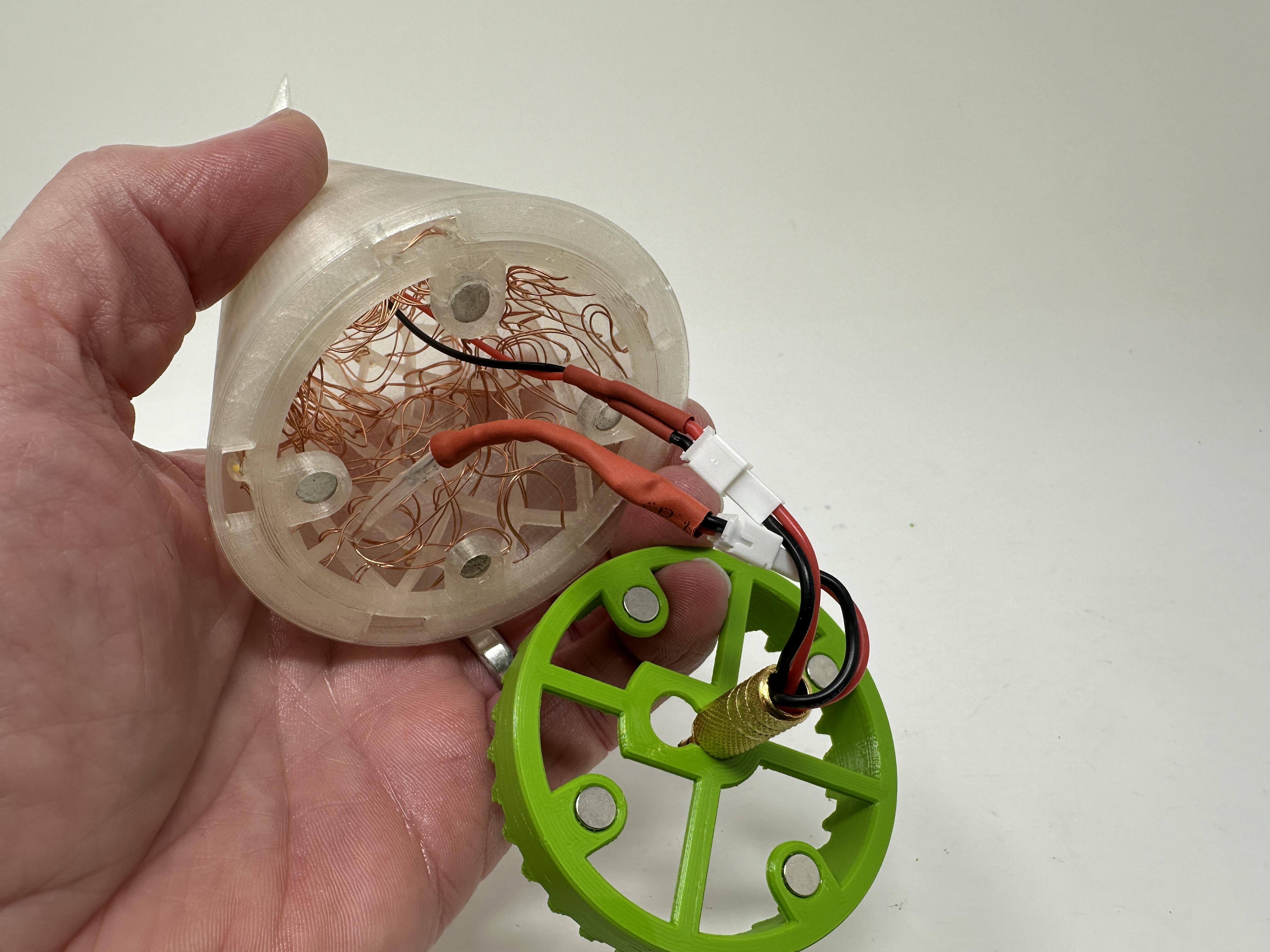


For final assembly, I performed the following steps:
- Pressed "Tree Cover.stl" onto the tree assembly making certain the top and bottom were flush and the tree was centered in the cover.
- Used small dots of glue to secure the tree cover to the tree.
- Slid the star JST connector down into the top of the tree, then secured the star to the tree cover using small dots of glue.
- Plugged both the star and tree JST plugs into the JST jacks on the face gear assembly.
- Magnetically attached the face gear assembly to the tree assembly and checked to make certain no wires were protruding into the face gear assembly.
- Plugged the tree assembly into the base assembly.
Once completed, I turned on the battery pack switch and off it went!
And that is how I 3D printed and assembled "Lighted Christmas Tree, 2025".
I hope you enjoyed it!