Floodlight LED Riser for Bambu Lab X1C
by internett0 in Circuits > Assistive Tech
193 Views, 1 Favorites, 0 Comments
Floodlight LED Riser for Bambu Lab X1C

Hi together, i was inspired by that construction for my project:
A riser for Bambu Lab X1 Carbon 3D printer with more light, because i haven’t found stips with 240 LED/m 2835 ore more with 5V. They all had 12V or 24V, asuming because of the higher current with 5V. Therefore i didn’t found a really bright 5V strip for the project. Also not required were WS2812B or similar, because no other colors than white are required and i don’t wanted to have a µController or remote control in that project (keep it simple, as required). Also not powered by the printer internals or the 24V of the AMS to prevent issues with the printer power.
Therefore i decided to create a PCB with LEDs to put it in a rail of the riser.
Supplies
- Bambu X1C Printer
- PETG filament
- 3D heat threaded inserts
- M4 screws
- Soldering tool(s)
- SMD LEDs
- SMD Resistors
- Cables
- Dupont 2 pole connector
- USB connector
Some Theorie

First i checked the power, i can put on the 2835 LED (found versions up to 2W at 3V by a single SMD LED). The strip i had in stock had a 560 Ohm resistor for each LED => approx 9mA for a LED (45mW). Calculating with 2W at 3V i need 667mA per LED so needed (WoW…).
I chose a LED 2835 with 2,78V and 300 mA with neutral white 4000k. Using 5V it needs a resistor of 7,4 Ohms (uff...). Checking the brightness of the LEDs optically to see, what is really needed (see the picture): (from left to right) standard LED (strip) with 560 Ohms (6 times); 180 Ohms (1); 68 Ohms (1) and 30 Ohms (1).
To get a bright LED and using not too much power (and current) i chose a value between the 3rd last (180 Ohms) and the second last (68 Ohms) near to the second last: 82 Ohms. That means 27mA per LED and 135mW per LED resistor combi diveded up in 75mW per LED and 60 mW for the resistor. That was the reason to choose the resistorsize 0805 with maximum power dissipation of 1/8W (125 mW) using only the half of the maximum.
That will be the Binford 6100 of the LED Riser :-) more power harharhar...
Designing the PCB


Designing the PCB in Kicad was quite easy with only 3 parts: LED, resistor and connector.
Because of the different length of the printer (depth < width) I needed 2 version of the PCB. One with 160 mm and one with 175 mm.
Checking the theorie: The 160mm PCB has 25 LEDs that means 27 mA x 25 = 675 mA and the 175 mm PCB has 27 LEDS that means 729 mA. Using 2 PCBs 175 mm (1,458 A) and 6 PCBs 160 mm (4,05 A) are in total 5,508 A. That is a lot, but using e.g. a Raspberry Pi 5 power supply with 5V 5A should be fine.
Designing the 3D Print Parts


To reduce massively the support material during the print i diveded up each corner part in 2 parts: Base part and corner rail. Using the Bambu smooth PEI base plate it gives the main parts a very smooth surface for the glass plate or glueing the foam rubber on it. The second big advantage is, that screwing the rail overlapping 2 base parts gives more stability for the complete frame.
Downloads
Equipping the PCBs


After equipping the PCB (placing solder paste, placing each part and soldering by hot plate or hot air...) checking the difference between strip and PCB light and if all LEDs are working. If some LEDs are not working, double checking the placement and short cuts by the solder paste.
Installing the PCBs


Installing the PCBs in the printed corners and solder the corner connection (does anybody know, if there is a connector for 2 PCBs 90° and both are tilted 45°?) with short cables. Connecting the power cable to the back right corner through the 5mm hole.
Melting in the Threads


Melting in the threads into the main parts.Look for the extreme smooth surface (little under extrusion viewable).
Connecting All Corners


Connecting all Corners: Attention, the connectors have a small side and a large side.
Push them with the small side first from top into the cutout of the corners until the top is at the same level or below the top of the corner part (use enough force to push it in). After that screw the outside rails overlapping to the corners to increase stability.
Double Check If It Is Working

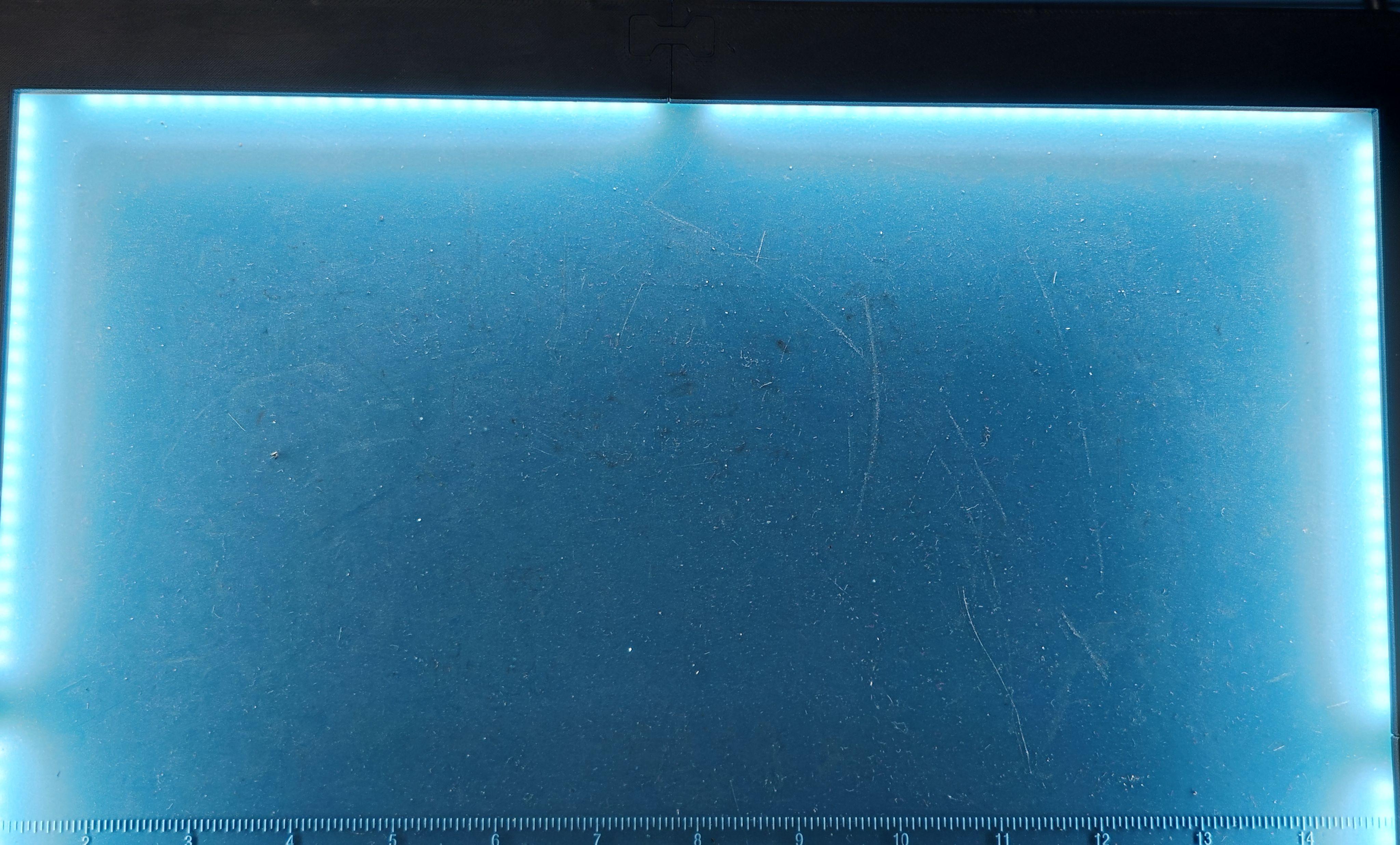
Uhh, still dirty wokplace...
Put It on the Printer and Switch It On


Thats really bright. keep in mind the benchy is not grey it is from cole black Bambu matt PLA.
Remarks, Final Thoughts Further Improvements


The complete LEDs need 3,058A (15,29W). That is much less than the calculated 5,508A (27,54W). Sure it is getting warm but not much over 40°C. Connectors and cables are cool and no problem.
Tested the first USB power supply (technical data: 5V 3A), result is approx. 2,2A max current (ok, its a cheap one from China).
Next USB power supply (specified with 120W total and 5V 9A) i tried , delivered the 3A without a problem. But after getting over 70°C i switched it off.
That i didn’t espect. Yes, it is also from China but hey, using only 33% of its 5V rail and not even 13 % of the specified max. power…
So i have to go on and seach for a usable USB power supply which is much less than a cheap 300 W laboratory power supply with adjustable voltage and current (approx 60€). Any suggestions?
Also double checking, why the power is that low. Is it the cross-sectional area of the PCB?
Are the plugs the problem (dupont plugs specification with 1-3A depending on the version, that would match the measurements)? But they’re not getting hot (cooler than the LEDs in any case.