ESP32 Retro Brick Breaker: OLED Game With Joystick Control
by BlinkNBuild in Circuits > Arduino
20 Views, 1 Favorites, 0 Comments
ESP32 Retro Brick Breaker: OLED Game With Joystick Control
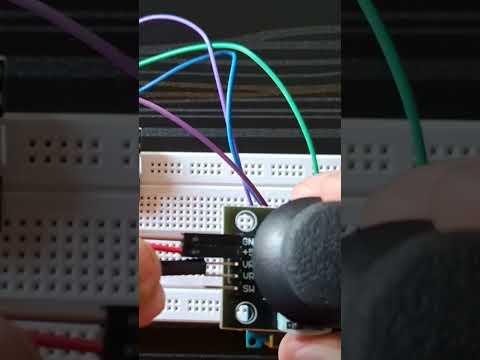
I wanted to build a handheld gaming experience using the ESP32. This project recreates the classic 'Brick Breaker' (Breakout) mechanics, optimized for a small OLED screen. It includes a responsive paddle controlled by an analog joystick and a randomized scoring system where some blocks are worth 5x more than others.
Supplies
Things used in this project
Hardware components

Espressif ESP32 Development Board - Developer Edition

Seeed Studio Grove - OLED Display 0.66" (SSD1306)- IIC - 3.3V/5V


Breadboard (generic)
Software apps and online services

The Complete Methodology

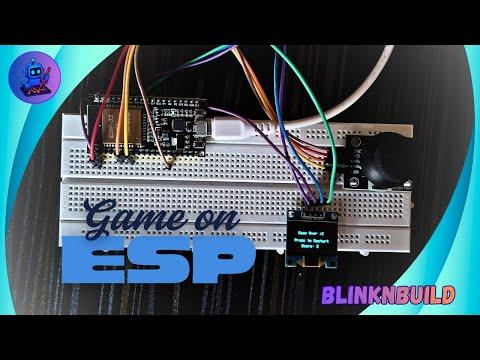
How it Works
The Physics: Explain that the ball uses ballSpeedX and ballSpeedY variables to handle movement and bouncing logic.
- The Physics: Explain that the ball uses ballSpeedX and ballSpeedY variables to handle movement and bouncing logic.
Joystick Control: Mention that you used Pin 34 for the X-axis and Pin 32 for the reset button. Explain the "deadzone" logic (1800 to 2200) you used to prevent the paddle from drifting when the stick is centered.
- Joystick Control: Mention that you used Pin 34 for the X-axis and Pin 32 for the reset button. Explain the "deadzone" logic (1800 to 2200) you used to prevent the paddle from drifting when the stick is centered.
The Graphics: Describe how the Adafruit_SSD1306 library handles the 128x64 resolution and how the "Bonus Blocks" are rendered with stripes using a for loop.
- The Graphics: Describe how the Adafruit_SSD1306 library handles the 128x64 resolution and how the "Bonus Blocks" are rendered with stripes using a for loop.
The Build Process
Wiring: Follow the schematic provided to connect the I2C pins (SDA/SCL) and the Analog joystick.
- Wiring: Follow the schematic provided to connect the I2C pins (SDA/SCL) and the Analog joystick.
Calibration: If the paddle moves by itself, adjust the xVal thresholds in the updateJoystick() function.
- Calibration: If the paddle moves by itself, adjust the xVal thresholds in the updateJoystick() function.
Future Upgrades: Suggest adding a buzzer for sound effects or a high-score save feature using ESP32 Preferences (EEPROM).
- Future Upgrades: Suggest adding a buzzer for sound effects or a high-score save feature using ESP32 Preferences (EEPROM).