Build a Portable Adjustable Power Supply Using Tool Batteries and PocketPD
by taste_the_code in Circuits > Electronics
56 Views, 1 Favorites, 0 Comments
Build a Portable Adjustable Power Supply Using Tool Batteries and PocketPD

In this project, I’m building a portable and adjustable power supply that I can use away from my workbench. I often test electronics outdoors or in places where wall power is not available, and regular power banks quickly become limiting. The goal here is to turn a tool battery into a flexible power source that can deliver different voltages, not just 5 volts. If you want to see the full process in action and understand why I chose these parts, the video linked here shows everything you need to know.
Supplies
PocketPD
https://github.com/CentyLab/PocketPD
Tools and materials for portable power:
65WPD Module - https://s.click.aliexpress.com/e/_c4Kmx9i5
100WPD Module - https://s.click.aliexpress.com/e/_c3urTZPf
100W Power Bank Module - https://s.click.aliexpress.com/e/_c3fXS8At
PPS Power Bank - https://s.click.aliexpress.com/e/_c2vg5hSH
140W GaN PPS Power Adapter - https://s.click.aliexpress.com/e/_c2vV0Mn7
Bench Power Supply - https://s.click.aliexpress.com/e/_c2IYH9bX
Digital Multimeter - https://s.click.aliexpress.com/e/_c3BAizjf
Solder Station - https://s.click.aliexpress.com/e/_c3rYFoxL
Portable Power Supply - https://s.click.aliexpress.com/e/_c3CWx8rT
3D models used in the project:
65WPD Board Case - https://makerworld.com/en/models/1894511-ckcs-u1e-65w-type-c-pd-base-model-case
Parkside Battery Adapter - https://makerworld.com/en/models/713335-adapter-parkside-x20v
P20S Battery Adapter - https://makerworld.com/en/models/1738093-ingco-p20s-battery-mount
Understanding PocketPD and PPS

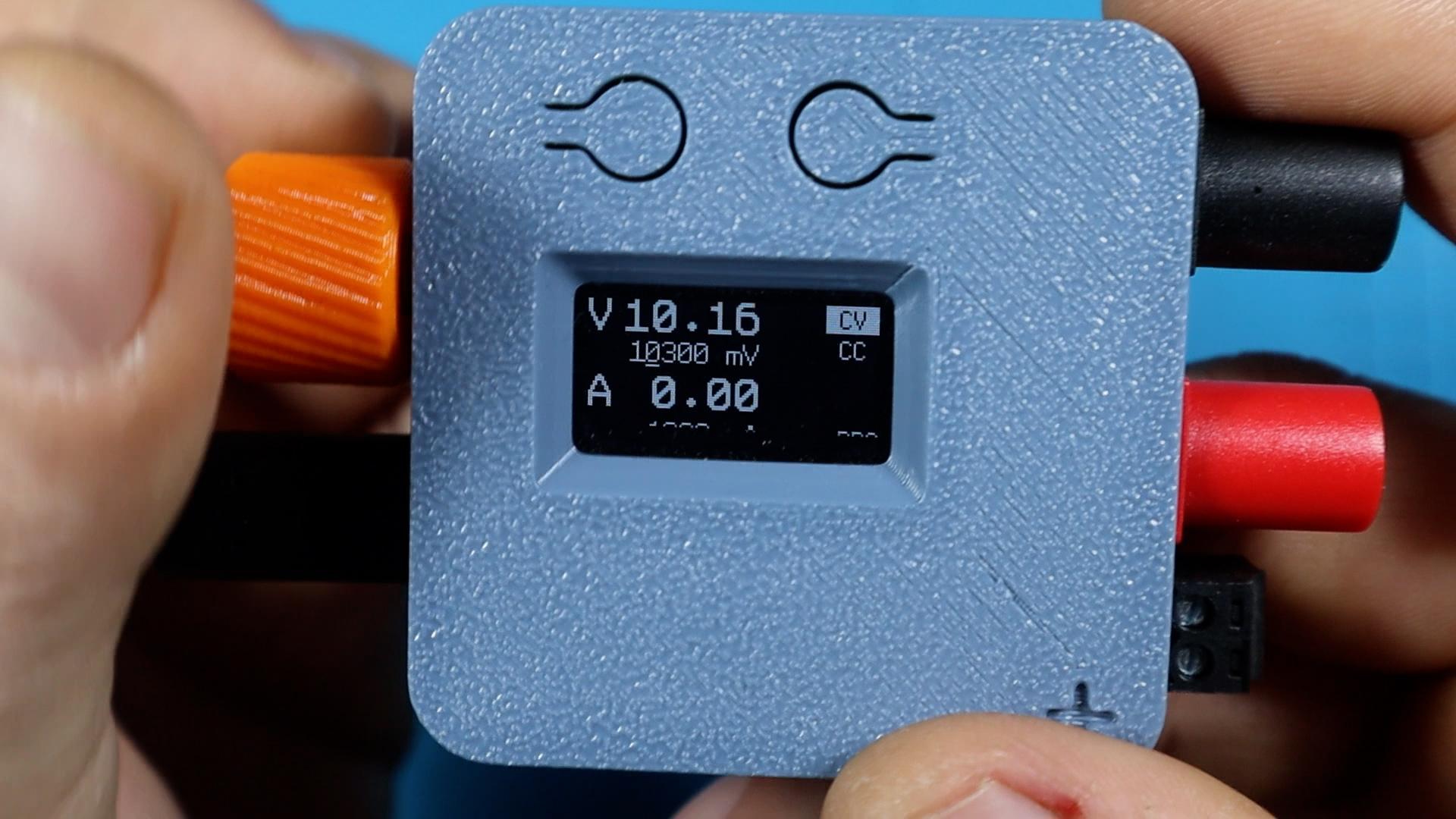

The key part of this build is the PocketPD. This small device lets me talk to modern USB chargers using the PPS standard, which allows adjustable voltage output. Instead of being stuck with fixed voltages, I can dial in exactly what I need for a project. In the video, I show how PocketPD detects charger profiles and how I select and verify voltages. I highly recommend checking the link for PocketPD if you plan to build this yourself, as it’s what makes the whole setup simple and reliable.
Choosing and Preparing the Battery


I’m using tool batteries that I already own, which makes this build affordable and practical. I slide a battery adapter onto the battery to access the positive and negative terminals. To make good electrical contact, I insert small metal tabs into the adapter contacts and lightly rough them up so solder sticks properly. I take my time here because tool batteries can deliver a lot of power, and clean connections matter.
Wiring and Polarity Check


Once the tabs are in place, I solder wires to them and immediately check polarity with a meter. This step is critical, and I show it clearly in the video because reversing polarity can damage electronics. After confirming which side is positive and which is negative, I secure the tabs with a small amount of glue so they don’t move when the battery is inserted or removed.
Connecting the USB PD Converter Board


Next, I connect the battery wires to a USB PD converter board. This board takes the battery voltage and turns it into a USB power source that supports modern power delivery standards. I mount the board inside a small 3D printed case to protect it and keep everything tidy.
Final Assembly and Cable Management


I carefully route the wires inside the case and make sure nothing gets pinched when closing it. I align the USB port so cables plug in smoothly and add the cover once everything fits properly. A bit of glue holds the board in place. This step is mostly about patience and neatness, and it makes the finished device feel solid and safe to use.
Testing the Power Supply


With everything assembled, I plug in the PocketPD and power it from the battery. I select the adjustable mode and set a low voltage to start. Using a meter and a small test load, I confirm that the output voltage matches what’s shown on the screen. In the video, I also demonstrate how the voltage behaves under load so you know what to expect in real use.
Using It in Real Projects


Once tested, this setup becomes a portable bench power supply. I can power electronics, test boards, or even fast-charge devices if they support USB power delivery. I can turn the output on and off easily and adjust voltage on the fly. This is where the PocketPD really shines, and seeing it used in the field in the video helps show its value.
This build can be completed in an afternoon and uses parts that are easy to find. If you work on electronics away from your desk, this is a tool that quickly becomes essential. I strongly recommend watching the full video for visual guidance and checking out the links for the PocketPD and modules I used. If this project helped you, consider subscribing and sharing the video so more people can build their own portable power setup.