Build a Polarized Light Viewer to Display Hidden Art
by MechaNickW in Living > Decorating
164 Views, 4 Favorites, 0 Comments
Build a Polarized Light Viewer to Display Hidden Art


I have been fascinated with polarization ever since I first really learned about it many years ago at the science museum I work at. The idea that there are hidden aspects of the very light that we see all the time which can be revealed with a simple sheet of plastic is amazing! Using two sheets of polarizers, you can make art out of nothing but scotch tape and see materials stresses hidden inside of everyday plastic items. You can also make your own art that is only visible when you get the polarizers lined up!
I've had the chance to see some amazing polarizer exhibits at museums I've visited throughout the years, and have always wanted to make my own version. I was inspired by the Visualize It! contest to implement my idea, and a few materials I needed just happened to fall in my lap at the right time.
This Instructable details a prototype version that I hope to fabricate and sell to other museums through my small business - if you work for a science museum and want to build your own, take all the info here and run with it and shoot me a photo! If you're into nerdy, interactive art this would be a great piece to build to decorate your house, or to share with kids as a fun way to explore the intersection of art and science.
Supplies


I mostly assembled this prototype piece out of materials I had from other projects. You can make this as simple or complex as you would like, but I highly recommend building it with a rotating "lazy susan" style bearing.
Materials:
- Acrylic plastic either 1/8" or 1/4" thick, I used both kinds. I cut my clear plastic into a sheet 16" x 22" for the laser cutter for the clear discs, and had a scrap of 1/8" opaque for the trim ring.
- Lazy Susan Bearing - I got mine at the reuse store I work at, but the dimensions match this one from Bed, Bath and Beyond. Mine was 9.65" on the inside, 12" on the outside but you can pick larger or smaller based on your needs.
- A backlight - this 9" LED light from Lowe's worked perfectly for mine to illuminate the entire interior disc.
- Adhesive Polarizer Film - It's hard to find in larger sheets, I ordered this stuff from Amazon. If you make a smaller one or are okay with a line, there are less expensive sheets available. It needs to be the variety that has an adhesive.
- Scotch Tape and/or packing tape
- Dichroic Film - this will make pretty colors and create beautiful designs that are visible even without the polarizers.
- E6000 or UV Resin adhesive - DON'T use a solvent-based adhesive like super glue with acrylic.
- Wood or plastic to serve as the base/mounting surface
- A few different fasteners and bearings and knobs
Tools:
- Laser cutter - I used the one at my local makerspace
- CNC machine or circle-cutting jig and a router
- Cricut vinyl cutter to make intricate shapes
- Adhesive plastic squeegees
- Drill
- Exacto razor
- Tap set
- Plastic drill bit set
- UV light for resin curing
Polarization Explained




The concept behind this exhibit is really exploring polarization of light, and some of the neat effects that fall out of that physical principal. I won't go into great detail about it as there exist many better, in-depth explanations out there on the internet, like this one from one of my favorite YouTubers, Physics Girl; however, I wanted to give some brief detail about what's going on here and what we are seeing.
In essence, the visible light that we see from most white light sources (the Sun, LED bulbs, etc) has light waves which oscillate perpendicular to their direction of travel in all different directions. This is called unpolarized light. The filters and materials we'll be using - linear polarizers and dichroic film - reflect light that is not lined up with the material, allowing it to pass through. Think of linear polarizers as a series of very small, parallel bars with a gap in between them - light that doesn't match the orientation of that gap gets reflected, and light that does match it is allowed to pass through. With linear polarizers, when you line two of them up and their lines are going the same direction, all the light that lines up with both shines through. When you rotate one of them with respect to the other 90 degrees, none of the light passes through.
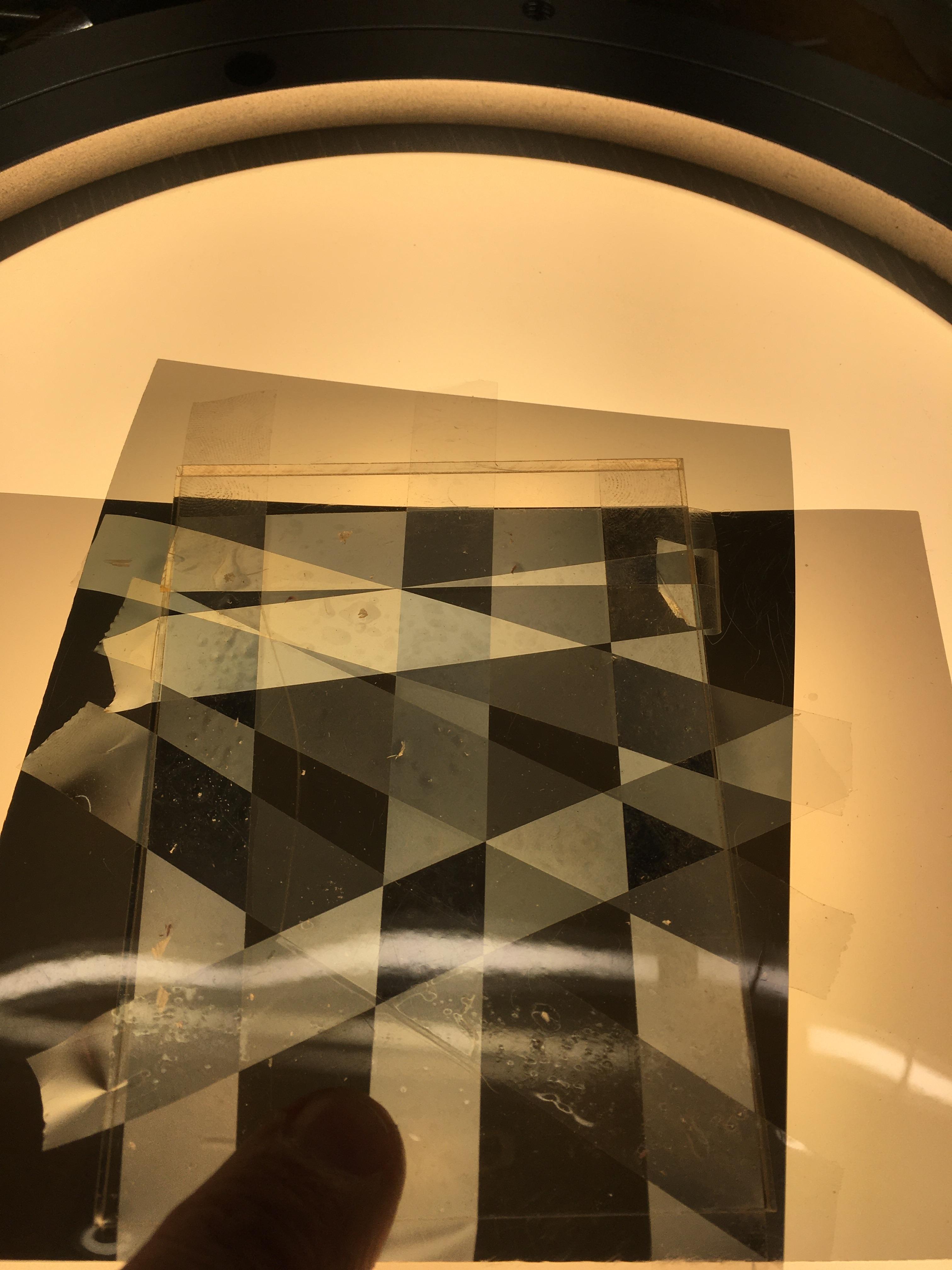
Most of the demonstrations and exhibits I've seen use scotch tape in between the two polarizers because it does some polarizing of its own. When you layer it over the top of itself in random directions, you get different colors and opacity because of how it interacts with the other two polarizers. I like to think of this whole assembly as a "sandwich" - two linear polarizer filters are the bread, and the filling is some other sort of polarizer like the tape and dichroic film. The filling of the sandwich is the interesting part - there are actually some weird quantum effects that are happening in this whole process!
You can do a lot of exploration with just two polarizer sheets - if you look at computer screens or smartphone screens, you can create this same effect because they have a polarizer embedded in them. If you put a plastic spoon or water bottle in between, you can see all of the material stresses created during manufacture because that acts as a polarizer. Sunglasses also typically polarize light and when you are out on a body of water, the reflected light looks kinda weird due to some interesting polarization effects.
In essence, the effects of polarization are all around us, and the interactive art we'll be building leverages this hidden aspect of light to create some neat features.
Create a Base for Attachment


I started this whole build by first creating a way to attach the lazy susan bearing to something, and have the LED light embedded behind it. You can skip this part if you want and just hold your whole thing up to a window, house light, etc. but I wanted mine to be backlit with a light that you could turn on and off.
I started by taking some discs of plastic that were from another project, and cutting them down to the diameter of the inner ring of the big bearing. This was necessary for my build since I wanted to add freely rotating knobs to the front, and have the head of the bolt sticking through the underside of big bearing. I took my router with a circle jig attachment that I 3D printed, marked the center of the existing circular disc, and cut it into a ring with a 9" inside diameter (ID) and 10.25" outside diameter (OD). This would have been much easier to do with a CNC machine, but I didn't have access to the one I typically would use in the makerspace I frequent, so did it myself. I used a 1/4" spiral upcut CNC bit, but any single or double fluted bit would probably work.
This ring serves as a way to screw the big bearing onto something, and also attach the light to something in the back. 9" was a perfect diameter to pop the light into it without any glue!
I then used the big bearing as a template to drill 3 holes and tap them for the screws that would hold the bearing onto it. I found some #8-32 screws that fit the countersink of the bearing mounting holes so that the top plate could rotate freely.
Attach Polarizer Film


In my first attempt at creating the discs, I failed - I laser cut them and then tried to attach the polarizer filters, which only resulted in a bunch of bubbles and a crappy installation. So, I highly recommend attaching the polarizer film first to your clear acrylic plastic, then laser cutting the discs out of it. Keep one side of the protective film on the plastic to prevent scratches and remove the other. Clean thoroughly with a lint-free cloth and some glass cleaner like Windex or soapy water. Then, apply the polarizer filter in one fell swoop. I bought some of those squeegee-type installers for pushing the air out, and it resulted in a much cleaner, more professional installation. The overall size of my acrylic sheet was 22" wide by 16" tall, which was the maximum size of the laser cutter bed.
Note that many of the adhesive linear polarizer filters which are intended for screens have one side that has the adhesive and a removable plastic film and then the other side has a removable plastic film that you take off after installation - this second one is intended to prevent scratches as you install.
Laser Cut Discs


I'm very fortunate to have access to a laser cutter through my local makerspace, and that made this step super quick and easy! I took my big sheet of 1/4" acrylic plastic with the polarizer filter sheets attached (I needed two total to cover it completely) and created two discs that matched the ID and OD of my lazy susan bearing. I've attached the .SVG files here if you choose to use the same bearing as I sourced.
For the front cover trim ring, I just cut an opaque disc out of 1/8" opaque acrylic in the only color I had that wasn't clear that was the same OD as the bigger disc, and had the hole in the center be my 9" diameter of the LED. This way, the internal parts of the mechanism are all hidden.
A note on measuring - for the central disc, I wanted it to fit really snugly inside the ring. I took the ring and traced and measured the ID, then created a SVG to match that diameter. I then cut it out of cardboard on the laser cutter to see if it would fit. It was a bit undersized, so I upped it a bit, cut another cardboard disc to ensure it was the right diameter. This is a good way to creep up on those exacting cuts on the laser cutter - cardboard is way cheaper than acrylic!
While I was in the makerspace I also used their cricut vinyl cutter to create my shapes in the dichroic film that I had purchased for this project - that makes getting interesting, creative shapes so, so much easier! I decided to cut a random assortment of basic shapes with an astronomy theme, so cut some stars, crescent moons, etc.


Drill Holes in Top Discs


I chose to just drill the plastic out for the mounting holes and knobs for the large disc and trim ring - this is something you can also do on the laser cutter, it was just easier to use the bearing as a template and drill them out. I have a set of plastic-specific drill bits, which is something I highly recommend you get if you work a lot with plastics, especially acrylic. It reduces the amount of cracking and splintering you might see when drilling that material. Just make sure you only use them for plastic! I simply used the existing holes on the outside ring of the bearing as a template to drill through the plastic, and since all my hardware was metric 6mm a 1/4" bit (which is slightly larger than 6mm) worked perfectly.
Attach Center Disc


Since I cut the central disc for the assembly to fit so closely inside the ring, I had to use very little adhesive to keep it in place. I'll note that the LED backlight protrudes a bit from the mounting base - it's domed, and I took a heat gun, heated it up and flattened it a bit but it still sticks out a bit. So, I used a spacer (some 1/8" acrylic plastic) underneath the disc to raise it up just a bit and used UV resin to attach. I typically put the resin on, use a UV flashlight that I bought for this purpose to start curing the project, then set outside in the sun for a bit to fully cure the resin.
You can also use E6000, but that has a long cure time and I've had very good luck with UV resin and acrylic on some other projects. I tried it on my first disc that I was unhappy with because of the bubbles, between the two UV resin is a better choice for this if you have it. You can use superglue, but it will leave a hazy finish on the acrylic and may even "craze" it a bit because it seeps into tiny little fissures in the laser-cut plastic and expands them, then the solvent evaporates and they become visible. Stick to UV resin or E6000 and you'll be just fine!
Attach Your Art


Now comes the fun part! For my purposes, I was just messing around with the materials to see what looks good and behaves in an interesting way, so I created a basic scene of stars with the stained glass look from the scotch tape in one part of the circle. The scotch tape works best if you create several layers on top of each other - random patterns look really amazing!
I love dichroic film and have used it for some other projects and activities - it looks incredible between the polarizers, and is essentially a polarizer itself of a different variety (something I did not know until doing this project).
I also recommend using any scraps of the polarizer film you have left over here - I cut a little square out and laid it over the tape.
You can attach the art to either the top, rotating disc or the stationary disc, or both. I intend to revisit this with an eye towards creating a scene on the static disc that the rotating larger disc passes through - I think that would be a really neat way to display this!
Put It All Together


I took all of my components and attached them together. I used some longer 6mm bolts that I had lying around and some knobs from my stock, and purchased some 626 bearings from the hardware store. This assembly lets you grab the knob on the front and spin the whole thing - you could also get away with static knobs that are just round. The knobs serve to help spin the assembly and also are the nuts on the ends of the bolts that hold the whole thing together. It took a couple of washers and messing with the tightness to get it so that they would spin freely but also not loosen up.
I plan to eventually mount this on my wall and will use the attachment ring for the LED light to do so. I set it up for now on a wooden base plate that I had from another project, simply drilling a hole through the middle for the cord and attaching the plate to it with some feet to keep it from sliding around. I used some wire nuts and a cord from another old device to power the LED light.
Enjoy!


My wife and I spent quite a long time just playing with this and exploring how things look at different angles and orientations. It would be fun to view this through a pair of polarized sunglasses as well! After I'm done showing this off to friends, family and coworkers I plan to hang it on my wall as a conversation art piece. I really enjoy all of the art and science that this piece is able to demonstrate, and having my own personal physics demonstration wall hanging is something I will enjoy for years to come.