3D Stolas Scene

Hello everyone,
I saw this site with the contest while I was watching a youtube video of Sir Wade Neistadt about animation because I love 3D animation.
I wanted to make a 3D rendering in Maya of Stolas from Helluva Boss. I like the character of Stolas and the IP of Helluva Boss. This Character is really well developp and endearing.
English is not my native language, if you see big written mistakes please excuse me.
Supplies
To do my scenes :
• I use Maya on my pc which has as the following components; a graphics card RTX 2060, a i5-12400f processor, and 16 Go of Ram
• it runs on windows
• for reference I search on web
Find the Reference

the first step was to find a good reference to build my model of Stolas.
I chose that one because this shows all the characteristics of the character in one image. But it's better to have a T pose reference to model in 3D.
Modeling

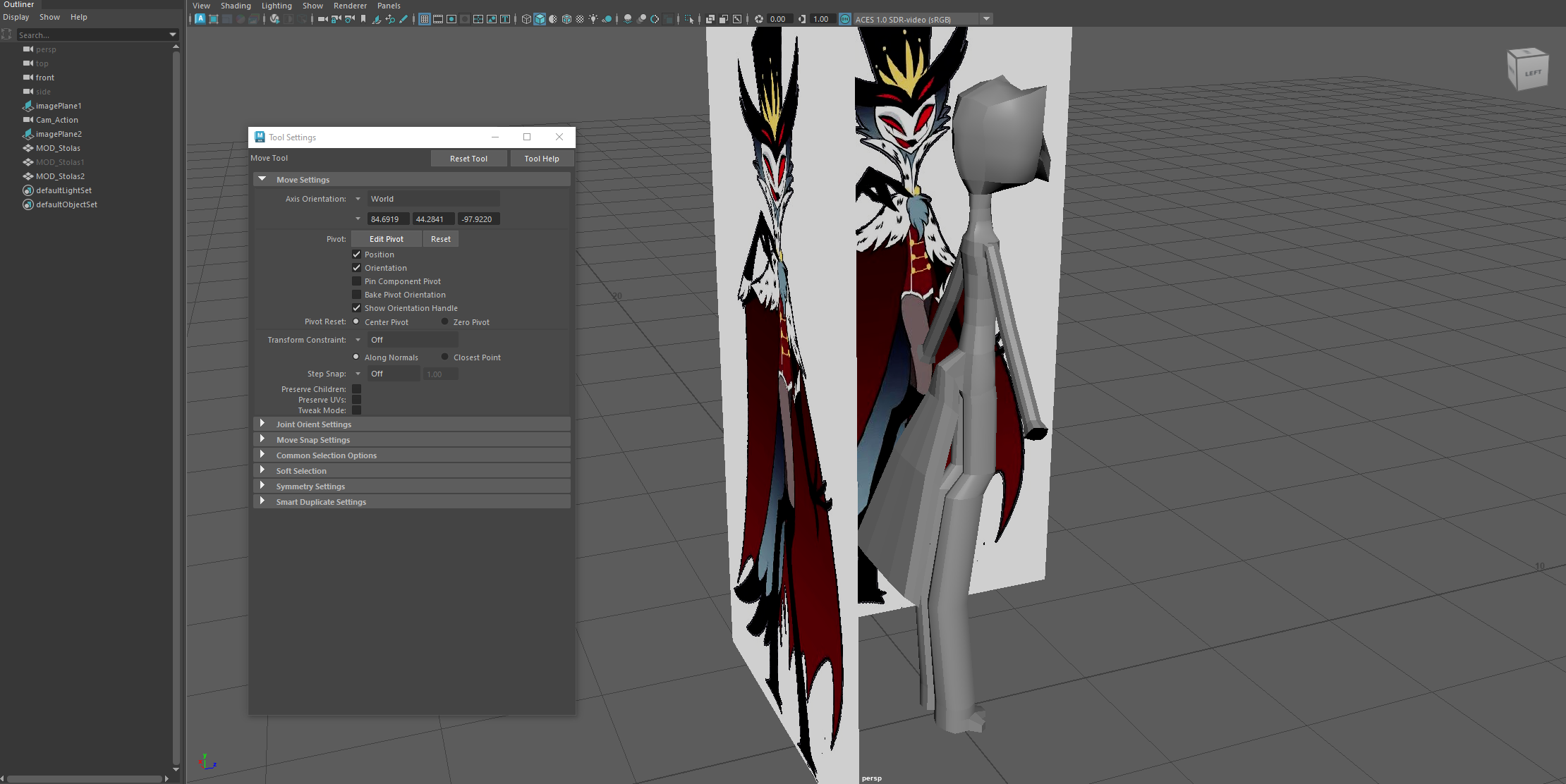
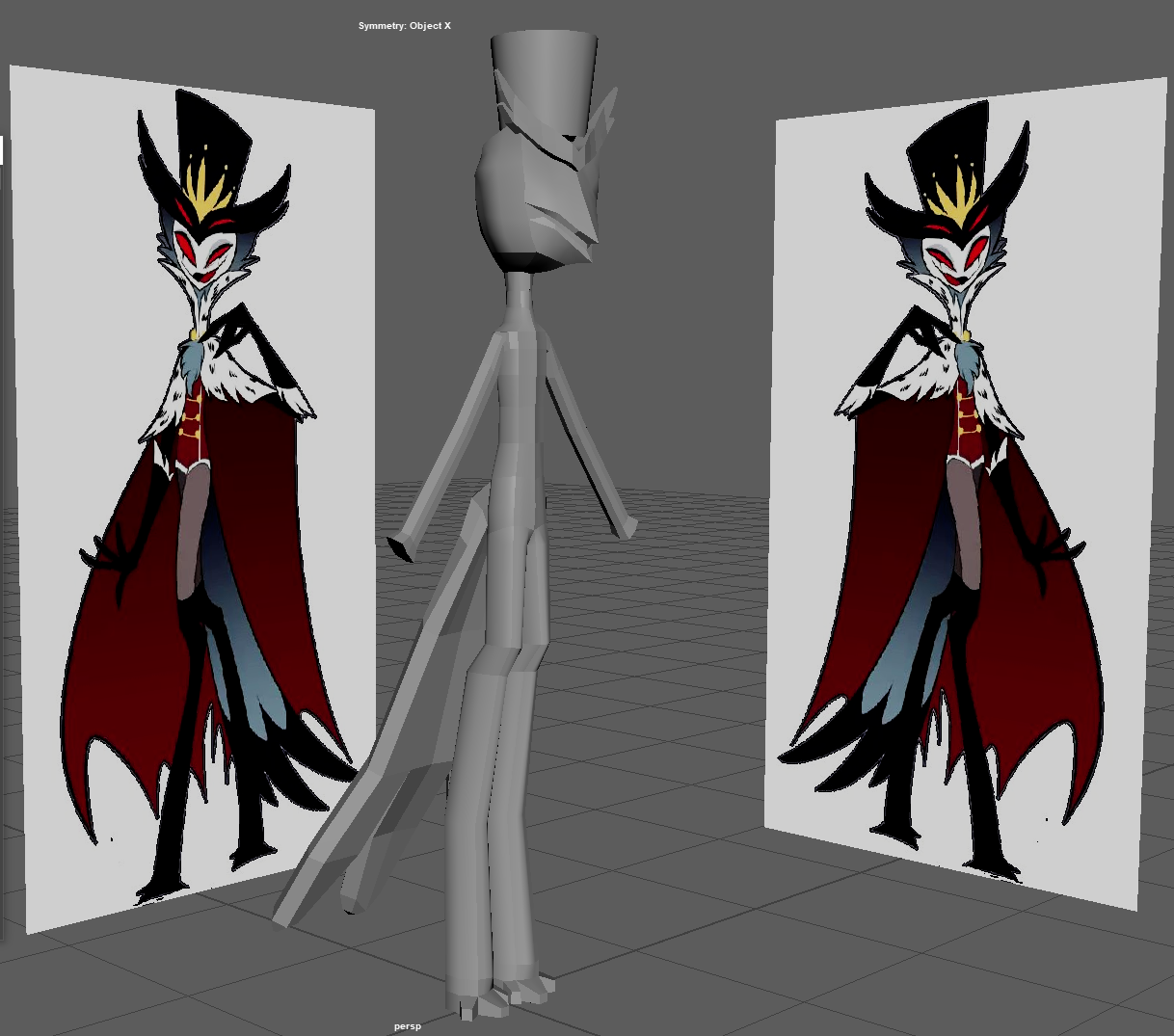


- I started small, create the folder, add reference in the scene (reference on the left and on the front to see different view), add a Cube split in half to do the symmetry of the character.
- After some hours I got a good a good basis to work with (sometimes I use symmetry tools and another time I use duplicate special to use Scult Geometry Tool of Maya).
- When I no longer feel like working on the body I create the accessories, hat here for example.
- I modeled the feathers of the torso apart but with really basics subdivisions.
- It's always difficult for me to do correct hand besides Stolas has only 4 fingers.
- A new tool I discover is Sweep Mesh Tool really useful for the golden chain.
- Basic version of the eyes and add some basic Texturing.
- Same for the crown, a basic form polished just a little
- what the main model look like after some correction of proportion and texturing
The Cape


New knowledge
- I didn’t know if I was going to make a cape for the character because I didn’t know if it was difficult or not.
- I found a tutoriel who explained clearly and quickly how to do by Sam Corbridge on youtube. It was quite easy I start with a basic plane but I remove parts to have the round side of the cape as you can see in the photos
- the main difficulties was to select vertex and the main model to attach the shoulder part of the cape on the character. I was stuck for some hours with this problem but I found what I need to do: to be in object mode at start, Then right click wherever you want and selects vertex in the menu, select the you vertex
- with the textures the tests seemed conclusive but I had to do it again later because the cape was supposed to react to the final pose and not the modeling one
Décors


I often make small basic sets for my animations and scenes but I didn’t know what kind I wanted for that one.
There are some images of the manor of Stolas and I chose one of the most complicated because I found it beautiful.
I didn’t want to do everything but at least the office and the glass. for the circle I applies the same test texture as that for the crown. Then I reused the circle to do the stained glass behind the desk. I duplicate, cut some part, rotate, ect..
I also create some wall, ground, ceiling and pillar (with a basic texture). Then I add a skyDomeLight to illuminate and surround the background scene. In 3D for sky dome we need to special distorted images which can be fit in a sphere, I always use (hdri haven) polyheaven. I chose quickly somethings close to the bright atmosphere that I wanted with not much human structures.
First Render


with everything roughly ready I made some first renderings to see what it looks like.
I liked it how it look.
Rigging Stolas


After having modified some details in the modeling, I needed to rig (make the skeleton) of the body to place it well.
Usally I do a custom Rig to correctly understand what I do, but I didn’t have time left so I used HumanIK; automatic solution from the software. It was hard to understand and make correction in such a short time.
One of my biggest challenge on that part was to match the rig with the drooping arms. I don't know why and how to bypass that easily but the rig doesn't fix properly if the arms are not straight. I didn't remember what I did but it take me some hours to fix that. In addition to that another problem where the rig flattened to the ground when I activated it...
It was not the last of my worries because after correcting some main influences to move the character correctly, the system for animating the HumanIK rig is really not great: the controllers are set in quite unconventional ways by comparison what I have already used with professional rigs. maybe I didn’t know how to configure it well, but natively it is complicated to use.
After that I figured out and animated Stolas in a nice pose that the rig allowed me.
Re Cape

With the pose done I could redo the finale cape !
Render 2.0


Most of everything was ready so I changed the sky dome to somethings more cartoony, found on that site.
Enhancement


it seemed a bit empty so I add a stylized book copied find on that site (thanks to João Paulo !)
I duplicate lot of books change the size and orientation to be more organic.
Light and Last Rendering


I added others golden circle then I added some light and texture modifications to seems good
I thought that it always seemed a bit empty so I create carpet under the desk, for some reason the texture was automatically on the book one, it looked good, I kept that.
Finale Rendering

the final image here is what I was able to produce for a few weeks, a few hours per week.
I'm proud of it.
what I would like to change if I had more time is a better rig, more details in the scenery, more elaborate textures (textures are not my strong point), correcting Stolas’s modeling, and a small animation of him would have been nice.
Have a nice day !