3D Polygonal Crystal Wall Canvas — Smooth Rounded Edges, Paint or Mosaic Your Own Design
by Rostislav48 in Craft > Paper
3072 Views, 29 Favorites, 0 Comments
3D Polygonal Crystal Wall Canvas — Smooth Rounded Edges, Paint or Mosaic Your Own Design


.gif)
.gif)


Clean geometric lines and a beautiful harmony of colors — this is the perfect recipe for modern art that you can create yourself for just a few dollars using simple paper.
The polygonal shape is framed by a perfectly rounded ring, and it instantly makes you wonder: how is this even made? It’s just colored paper — and a very precise template — which is why it looks so balanced and surprisingly elegant.
This 3D canvas has real depth, like a faceted gemstone. The project gives you the freedom to create your own artwork by choosing crystal-like colors that match your idea and interior. You can also use a set of 10 colors to create a mosaic effect, just like in the example.
The process is much easier than it looks — and that’s exactly why I love this project. You’ll see it yourself as you follow the steps.
Supplies

- The cardstock I used was purchased at Michaels.
- Crystal template + mosaic fragment diagram for gluing on top
- Designed and unfolded in the early beta version of Lacriator.
The file set includes:
- 22-page Letter-size PDF Template for the Crystal
For the mosaic covering you will need:
- 3 sheets — light gray
- 3 sheets — dark gray
- 2 sheets — white
- 3 sheets — black
- Light blue, blue, green, yellow, pink, orange, each shade requires roughly one quarter of a sheet.
You'll receive a PDF file for home printing, as well as vector files for plotters and cutters, and a full assembly manual.
Choosing the Scale of the Figure and Selecting Materials

The finished 3D model is 70 cm (27.5 inches) wide when printed on Letter or A4 paper — the A4 version will be slightly smaller.
To create a larger crystal, simply use a bigger sheet format, as shown in the slide.
For the crystal itself, I recommend cardstock 250–350 gsm for models sized 70–100 cm.
For even larger versions, use 300+ gsm and consider light reinforcement.
For the mosaic layer, you can use thinner cardstock starting from 120 gsm.
You can print with any photo printer, and for cutting, a diode laser machine works perfectly — that’s what I used.
Cut and score lines are included in the template.
Helpful Tip
To simplify the process, you can use the natural color of your cardstock for the crystal’s base.
For example, make the crystal foundation in black and apply the colorful mosaic only to the remaining areas — the black segments won’t need mosaic at all.
This approach also works beautifully with white, gray, or dark-gray materials, depending on your preferred aesthetic.
You can also print the ring and the crystal surface on different paper colors if that makes assembly easier for you.
Cut Out All the Template Pieces


Cut out the template. I’m using a diode laser cutter — it cuts very quickly and with great precision, especially on black cardstock.
Pre-Folding the Lines
.gif)
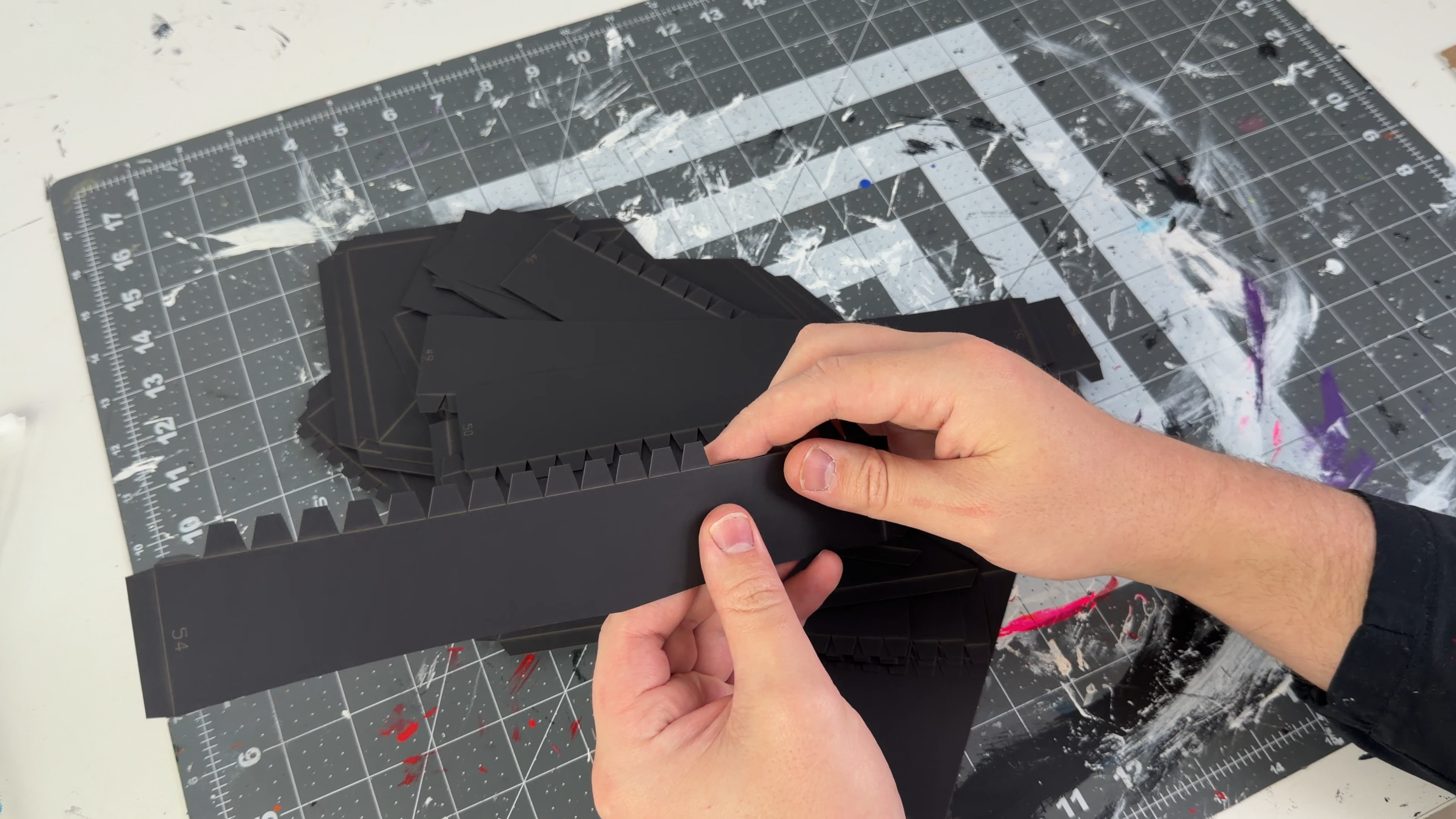


Gently fold along all the score lines. Perfect accuracy isn’t required at this stage — the goal is simply to prepare the bends.
All folds go inward, and this model has no reverse or negative angles, which makes the process much easier.
Gluing the Structure
.gif)


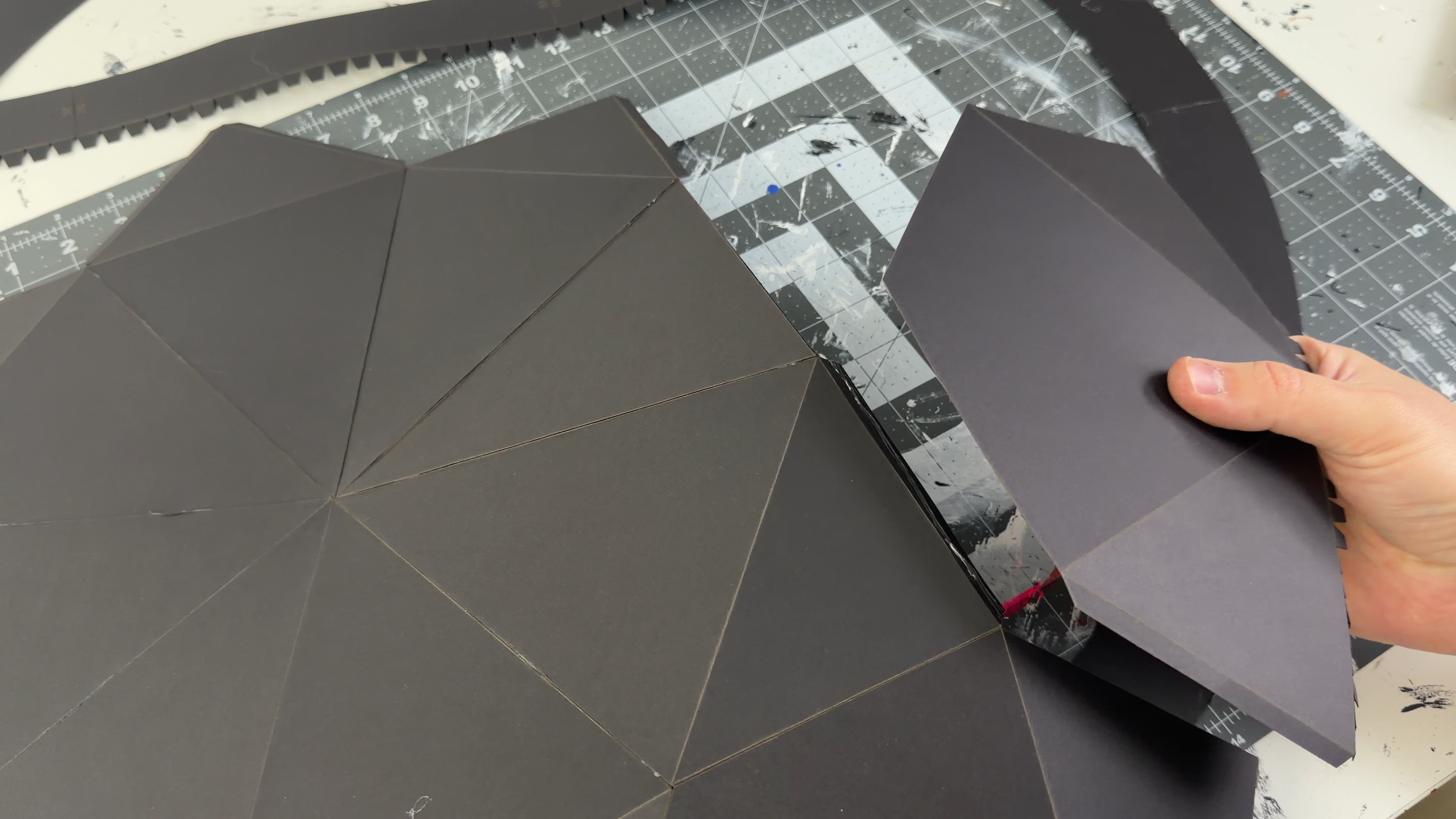
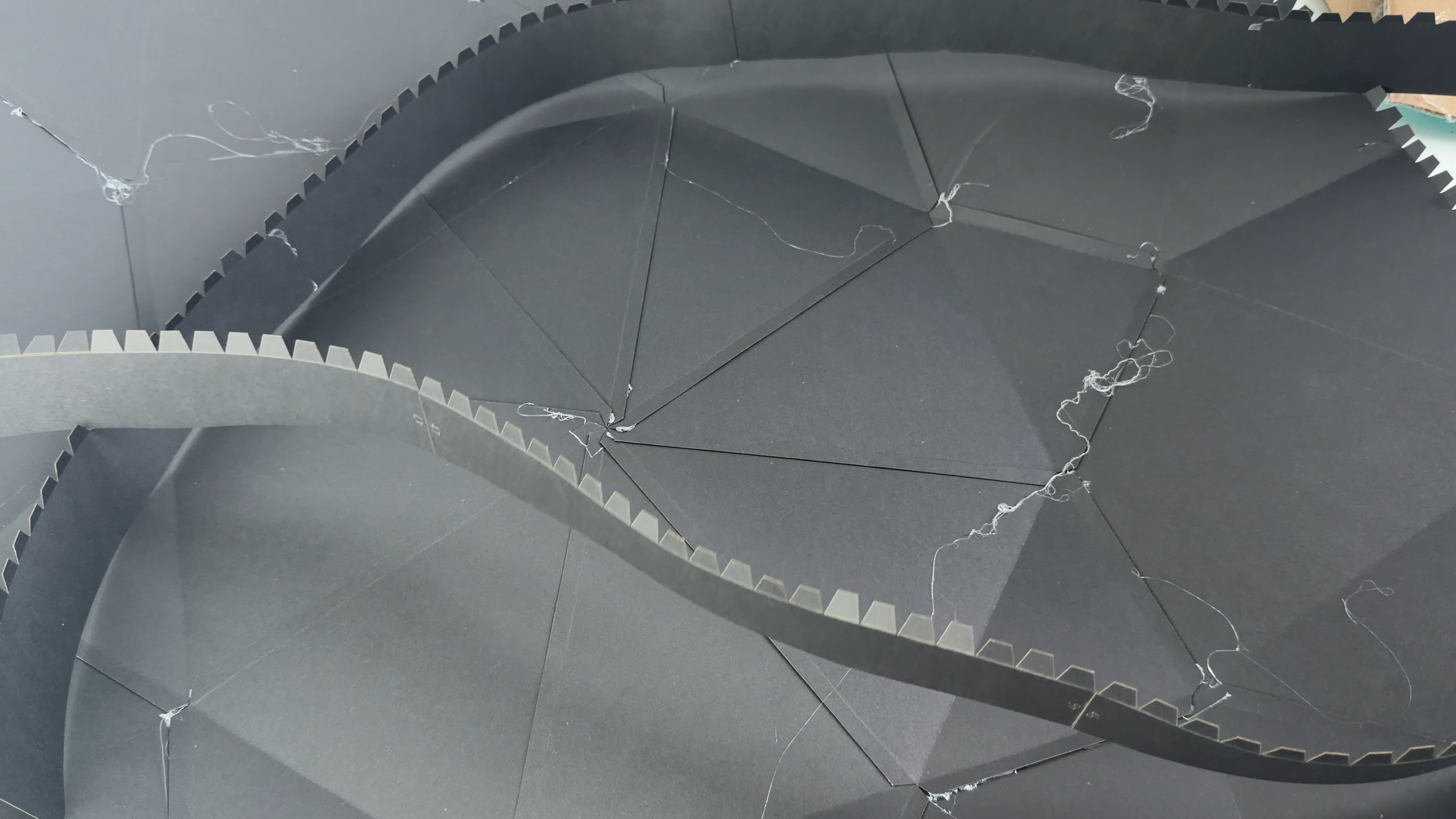

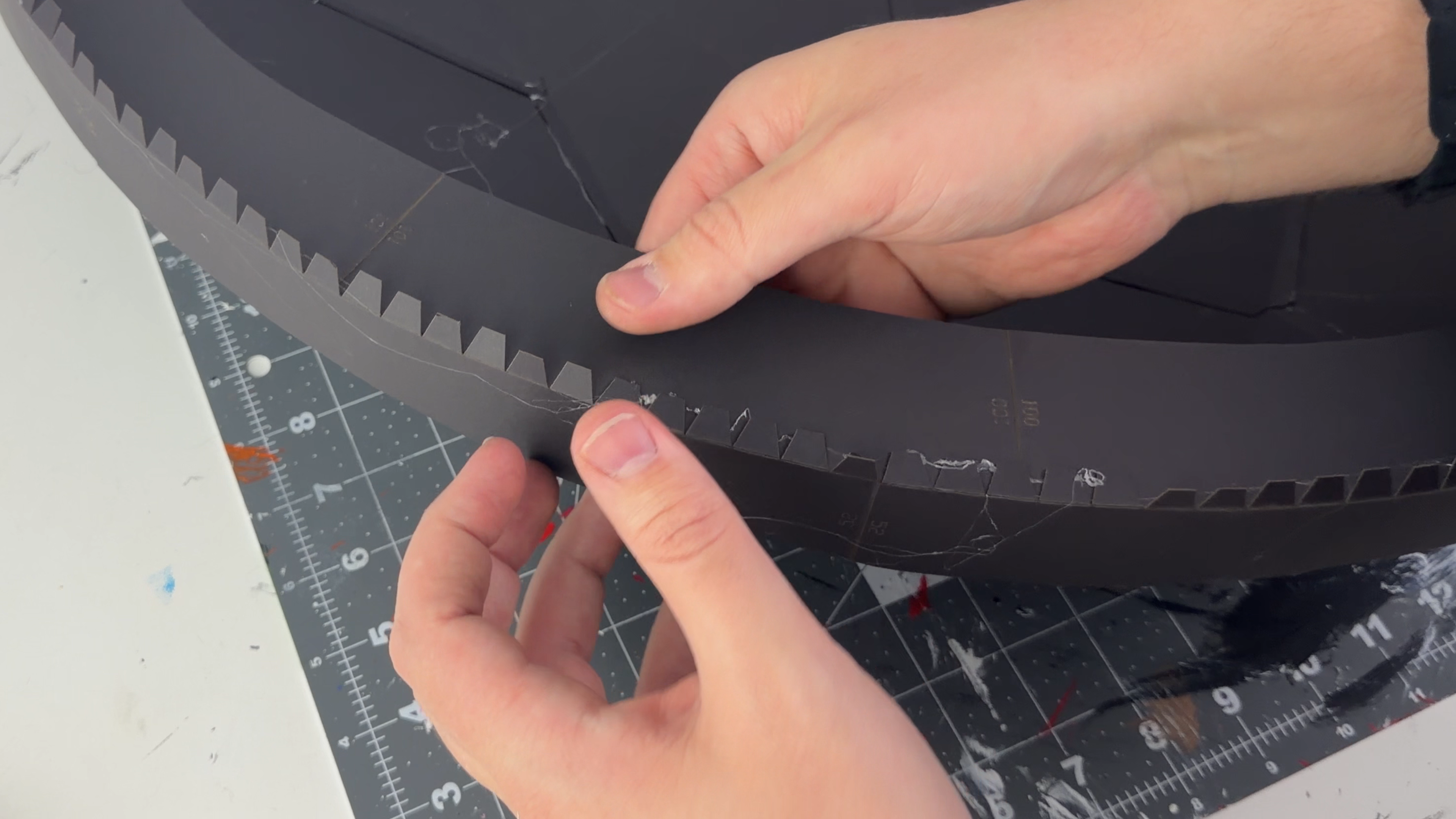
Gluing gradually, following the instructions — all parts are numbered on the template.
First, assemble the main 3D surface of the crystal.
Then build the outer ring as a complete circle and attach it to the front surface.
After that, glue together the rear disk and then insert and secure it in place to close the back and add rigidity.
I use hot glue with clear sticks — it bonds quickly and securely. If you make a mistake or something attaches slightly crooked, you can simply warm the area with a heat gun or hair dryer and reposition it.
Accuracy during this step is important, because our goal is to keep the crystal perfectly straight so it sits flush against the wall. When attaching the back disk, press the crystal against a flat surface (such as a table) and make sure it sits perfectly even. This will help you lock in a straight, clean final shape.
Reinforcing the Crystal


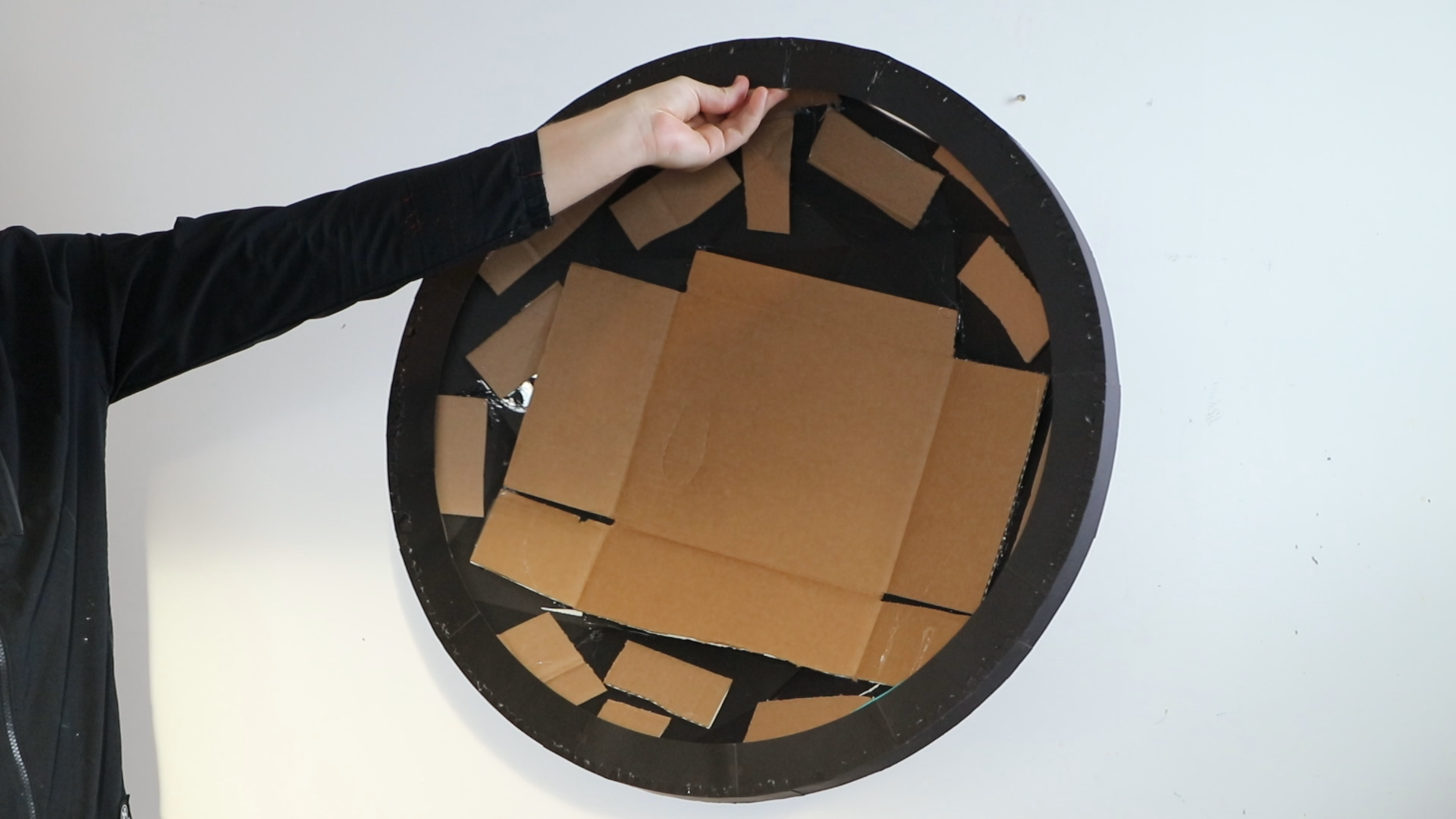
If needed, you can reinforce the crystal — this will add rigidity and make it easier to apply the mosaic or paint the surface.
I used pieces of corrugated cardboard for reinforcement, but you can also use construction expanding foam, foam board, or even epoxy resin if you need extra rigidity.
Applying the Mosaic


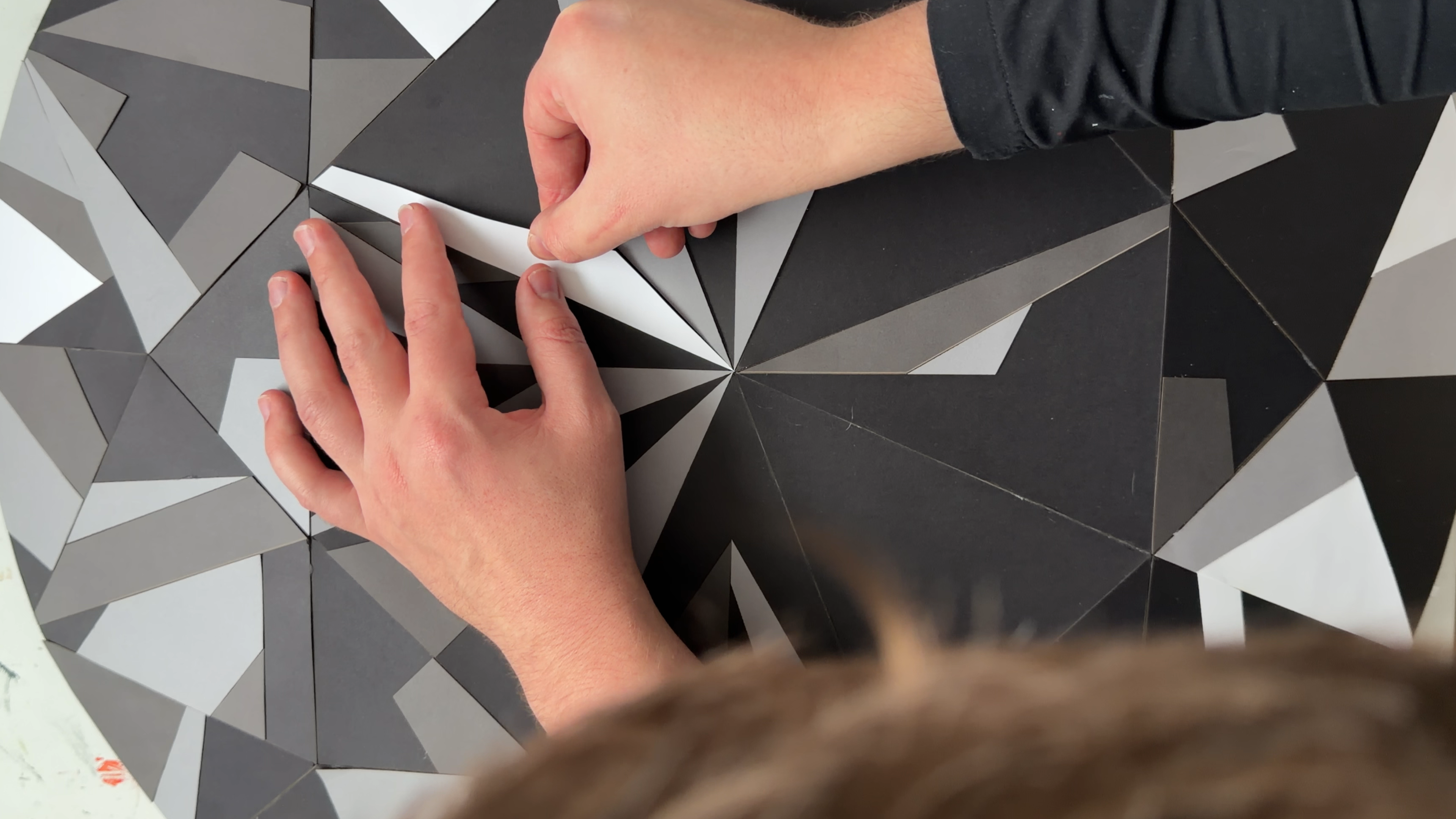


The mosaic pieces are not numbered, but that’s not a problem. Each color has only a small number of parts, and their shapes are distinct enough to make the search quick and easy.
I recommend starting with the gray, dark gray, or white pieces, and adding the bright accent colors at the very end.
Begin with the largest pieces, as well as the ones located near the center and the outer edge — these are the easiest to identify and place correctly.
If you can’t find where a specific piece should go, simply set it aside and move on to the next most obvious one. The further you progress, the easier it becomes — everything naturally starts falling into place.
The Result
.gif)
.gif)
.gif)


Your crystal canvas is ready. This is a clean, modern 3D form that also works as a blank canvas — you can decorate it, paint it, or create your own mosaic pattern.
The project is simple, affordable, and very flexible. If you want, you can make another one in a different size or try new color combinations.
The idea here isn’t just to follow the template, but to experiment and express your own style.
- The cardstock I used was purchased at Michaels.
- Crystal template + mosaic fragment diagram for gluing on top
- Designed and unfolded in the early beta version of Lacriator.
Feel free to explore new variations — this design gives you plenty of room to create something personal and unique.